Secure Email Gateways: Real Protection vs Hidden Costs
See how secure email gateways filter threats, where they fail, and whether your organisation truly needs one.

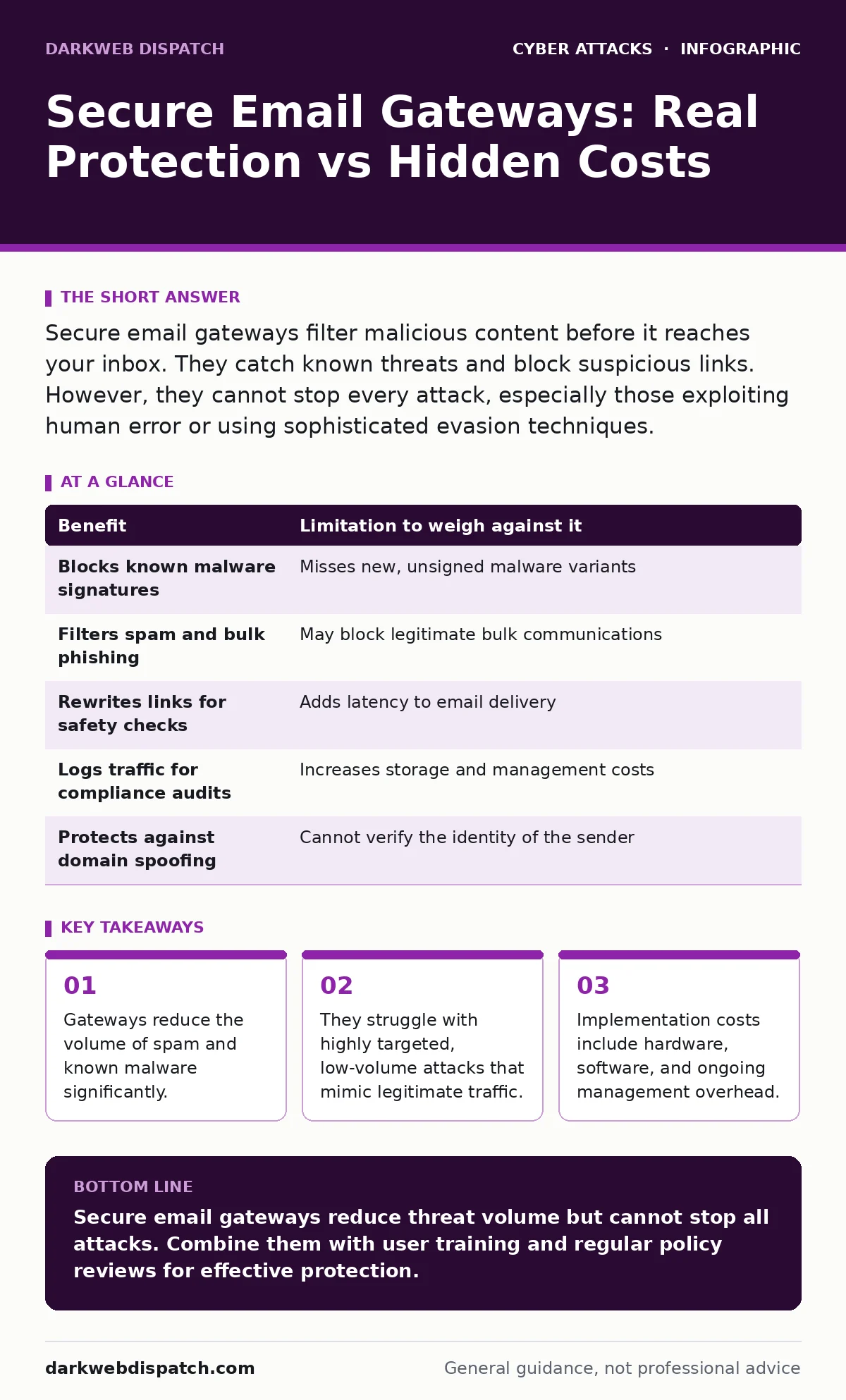
Secure email gateways filter malicious content before it reaches your inbox. They catch known threats and block suspicious links. However, they cannot stop every attack, especially those exploiting human error or using sophisticated evasion techniques.
The Mechanics of Perimeter Filtering
A secure email gateway sits between external mail servers and your internal network. It intercepts every incoming message, scanning it for malicious content before delivery. This device or service acts as a gatekeeper, applying rules to determine if an email is safe.
The gateway checks sender reputation, analysing the history of the sending domain. It inspects attachments for known malware signatures, which are unique patterns identified in previous threats. It also rewrites links to redirect them through a safety check. This process happens in seconds, invisible to the recipient.
Concrete Benefits for Your Organisation
The primary benefit is the reduction of noise. By blocking spam, phishing attempts, and bulk malware, the gateway keeps inboxes manageable. This reduces the cognitive load on your staff, allowing them to focus on legitimate communications.
It provides a layer of defence against automated attacks. Bots sending millions of malicious emails are easily identified by volume and pattern. The gateway blocks these at scale, preventing your mail servers from becoming overwhelmed. This maintains service availability during large-scale attacks.
Another advantage is compliance support. Gateways can log all traffic, creating an audit trail. They can also prevent accidental data leaks by scanning outbound emails for sensitive information patterns, such as credit card numbers or internal codes. This helps organisations meet regulatory requirements for data protection.
Honest Limitations of the Technology
Gateways rely on known indicators of compromise. If an attacker uses a brand-new method, the gateway may not recognise it. This is known as a zero-day exploit. Until the vendor updates the detection rules, the threat passes through.
Sophisticated attackers know this. They craft emails that look completely normal. They use legitimate language, avoid suspicious links, and send messages from compromised accounts of known contacts. The gateway sees a trusted sender and a clean message, so it delivers it.
Latency can also be an issue. Scanning every email adds time to the delivery process. For organisations with high-volume traffic, this delay can become noticeable. Configuring the gateway to be too strict may cause legitimate emails to be delayed or blocked entirely.
The Trade-Off Matrix
Every benefit comes with a limitation. You must weigh these against your operational needs. The table below outlines the core trade-offs.
| Benefit | Limitation to weigh against it |
|---|---|
| Blocks known malware signatures | Misses new, unsigned malware variants |
| Filters spam and bulk phishing | May block legitimate bulk communications |
| Rewrites links for safety checks | Adds latency to email delivery |
| Logs traffic for compliance audits | Increases storage and management costs |
| Protects against domain spoofing | Cannot verify the identity of the sender |
When It Is Worth It
You should implement a gateway if your organisation handles sensitive data. Financial institutions, healthcare providers, and legal firms face strict regulatory requirements. The audit logs and filtering capabilities provide necessary evidence of due care.
It is also worth it if your staff are frequent targets of phishing. Industries like finance and retail attract attackers seeking credentials or payment details. The gateway provides a critical barrier, catching the majority of automated phishing campaigns.
Consider it if you have a large workforce. Managing security for thousands of devices is difficult. A centralised gateway provides consistent protection without requiring individual configurations on each workstation. It scales efficiently with growth.
When It Is Not Worth It
A gateway may not be justified for very small teams. If you have fewer than ten users, the cost of hardware or subscription services may outweigh the risk. Simple client-side filters often suffice for low-volume, low-risk environments.
It is not worth it if you rely solely on technical controls. If your organisation has no security awareness training, attackers will find ways around the gateway. They will use social engineering to bypass the filters. Technology alone cannot stop a user from handing over credentials.
Avoid it if your email traffic is highly irregular. If you receive many large attachments or communications from unverified domains, the gateway may struggle to distinguish between legitimate and malicious content. This leads to high false-positive rates, causing frustration and lost productivity.
Hidden Costs and Management Overhead
The purchase price is only the beginning. You must pay for ongoing maintenance, updates, and support. The gateway requires regular tuning to adapt to new threats and your organisation’s changing communication patterns.
Staff time is a significant cost. Someone must monitor alerts, investigate blocked emails, and update rules. This role requires technical expertise. If you outsource this, the fees can accumulate quickly.
Integration with existing systems can also be complex. The gateway must work with your current mail server, authentication protocols, and security tools. Poor integration can lead to gaps in coverage or increased latency.
The Human Element Remains Critical
No technology is perfect. Attackers continuously evolve their tactics. They use natural language processing to craft convincing messages. They exploit trusted relationships to bypass reputation checks.
Your staff are the last line of defence. They must know how to identify suspicious emails. Training should focus on recognising urgency, verifying sender identities, and reporting anomalies. A gateway reduces the number of threats, but it does not remove the human element.
Final Considerations for Deployment
Before buying, assess your specific risks. Identify the types of attacks most likely to target your organisation. Choose a gateway that addresses these specific threats. Do not buy features you do not need.
Test the solution thoroughly. Run a pilot with a small group of users. Monitor for false positives and latency issues. Adjust settings before a full rollout. This prevents disruption to your daily operations.
Remember that a gateway is a tool, not a solution. It works best as part of a broader security strategy. Combine it with multi-factor authentication, regular training, and incident response planning. This layered approach provides the best protection.
Key takeaways
- Gateways reduce the volume of spam and known malware significantly.
- They struggle with highly targeted, low-volume attacks that mimic legitimate traffic.
- Implementation costs include hardware, software, and ongoing management overhead.
- Zero-day exploits often bypass initial filtering until signatures are updated.
Secure email gateways reduce threat volume but cannot stop all attacks. Combine them with user training and regular policy reviews for effective protection.
Frequently asked questions
Can a secure email gateway block ransomware?
It can block known ransomware strains via signature detection. However, it may miss new variants until updates are released.
Do gateways protect against insider threats?
Standard gateways focus on inbound threats. They offer limited protection against malicious insiders unless configured for outbound monitoring.
How often should gateway rules be updated?
Rules should be reviewed regularly, at least monthly. Update them immediately after identifying new threat patterns or false positives.
Is cloud-based better than on-premise?
Cloud solutions offer easier updates and scalability. On-premise gives more control over data. Choose based on your compliance needs and IT resources. TAGS
How this guide was produced: written by the DarkWeb Dispatch editorial team with AI assistance, checked against the public references listed below, and reviewed when the facts change. See our editorial policy or report an error.