Scan URLs Before Clicking: Malwarebytes Free Tool Detects Phishing, Scams and Malware Threats Instantly
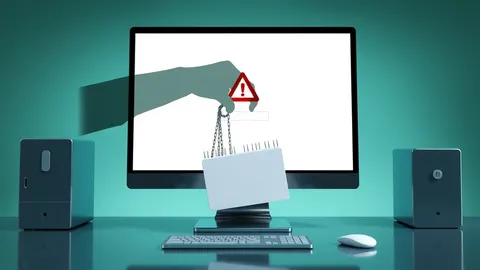
Malwarebytes has launched a free utility that scans URLs for phishing and malware threats before users click, helping to protect personal data and accounts.
Key points
- Malwarebytes Scam Link Check is a new free tool for analysing suspicious links.
- The service scans for phishing, scams, malware and other online threats in seconds.
- Users receive a safety verdict and details on domain reputation and brand impersonation.
Anyone who receives unexpected messages containing links is potentially at risk of having their personal data or financial accounts compromised. Phishing attempts often arrive via text messages about undelivered packages, emails from banks requesting account verification, or social media invitations to view documents. These messages are designed to look legitimate, but the embedded links may lead to malicious sites that steal credentials or install harmful software on devices.
What is the new Malwarebytes tool?
Malwarebytes has introduced Scam Link Check, a free utility that allows users to verify the safety of suspicious links before clicking them. According to Malwarebytes Labs, the tool scans URLs for signs of phishing, scams, malware and other online threats. By pasting a link into the service, users can determine within seconds whether the destination appears safe or dangerous, removing the guesswork from potentially risky interactions with unknown web addresses.
How does the analysis work?
When a user submits a link, Malwarebytes Scam Link Check analyses the associated website using the company’s threat intelligence technology. The service provides a clear safety verdict along with specific findings. These include information regarding the website’s domain and its reputation, as well as any signs that the site may be impersonating a known brand. This detailed feedback helps users understand exactly why a link might be flagged as unsafe.
Where do these scam links appear?
Scam links can appear in almost any digital communication channel. They are commonly found in text messages, emails, social media posts, messaging applications and even search results. QR codes can also direct users to these malicious pages. Because these threats are ubiquitous, checking a link is advisable whenever there is uncertainty about its destination, particularly if the accompanying message requests login details, payments or personal information.
When should you use this check?
It is prudent to investigate a link if the message creates a sense of urgency or asks for sensitive actions. Common triggers include requests to reset a password, verify identity, claim a prize or receive a refund. Scammers are increasingly adept at creating convincing copies of legitimate brand websites, making it difficult to distinguish real sites from fakes. Using the tool helps users avoid falling for these sophisticated impersonation attempts.
What affected people can do
Individuals should treat unexpected requests for personal details or payments with caution. Before entering any credentials, verify the sender’s identity through a separate, trusted channel, such as a phone number listed on an official website. If a link feels suspicious, do not click it; instead, use a dedicated checking tool to assess the risk. Be wary of messages that pressure you to act quickly, as urgency is a common tactic used to bypass rational thought and security checks.
What to do and how to stay safe: Malwarebytes
- Paste any suspicious link into Malwarebytes Scam Link Check to scan for threats before clicking.
- Review the safety verdict and look for signs of brand impersonation or poor domain reputation.
- If the tool cannot determine safety, do not click the link and contact the company via official channels.
- Avoid clicking links in messages that demand immediate action, such as password resets or prize claims.
Step-by-step guide: Is It Safe to Use Password Managers? The Real Risks and Rewards
General security guidance from the DarkWeb Dispatch newsroom. It is not confirmed advice from the organisations named in this story.
Frequently asked questions
Is Malwarebytes Scam Link Check free to use?
Yes, Malwarebytes Scam Link Check is a new free tool that lets users check suspicious links before clicking.
What kind of threats does the tool detect?
The tool scans for signs of phishing, scams, malware and other online threats using threat intelligence technology.
How long does the scan take?
Users will know within seconds whether the link appears safe or might be dangerous after pasting it into the tool.