Evil Twin Wi-Fi Attack: How to Respond and Recover
Most damage from rogue access points comes from cached credentials, not just the initial connection, requiring a full credential rotation.
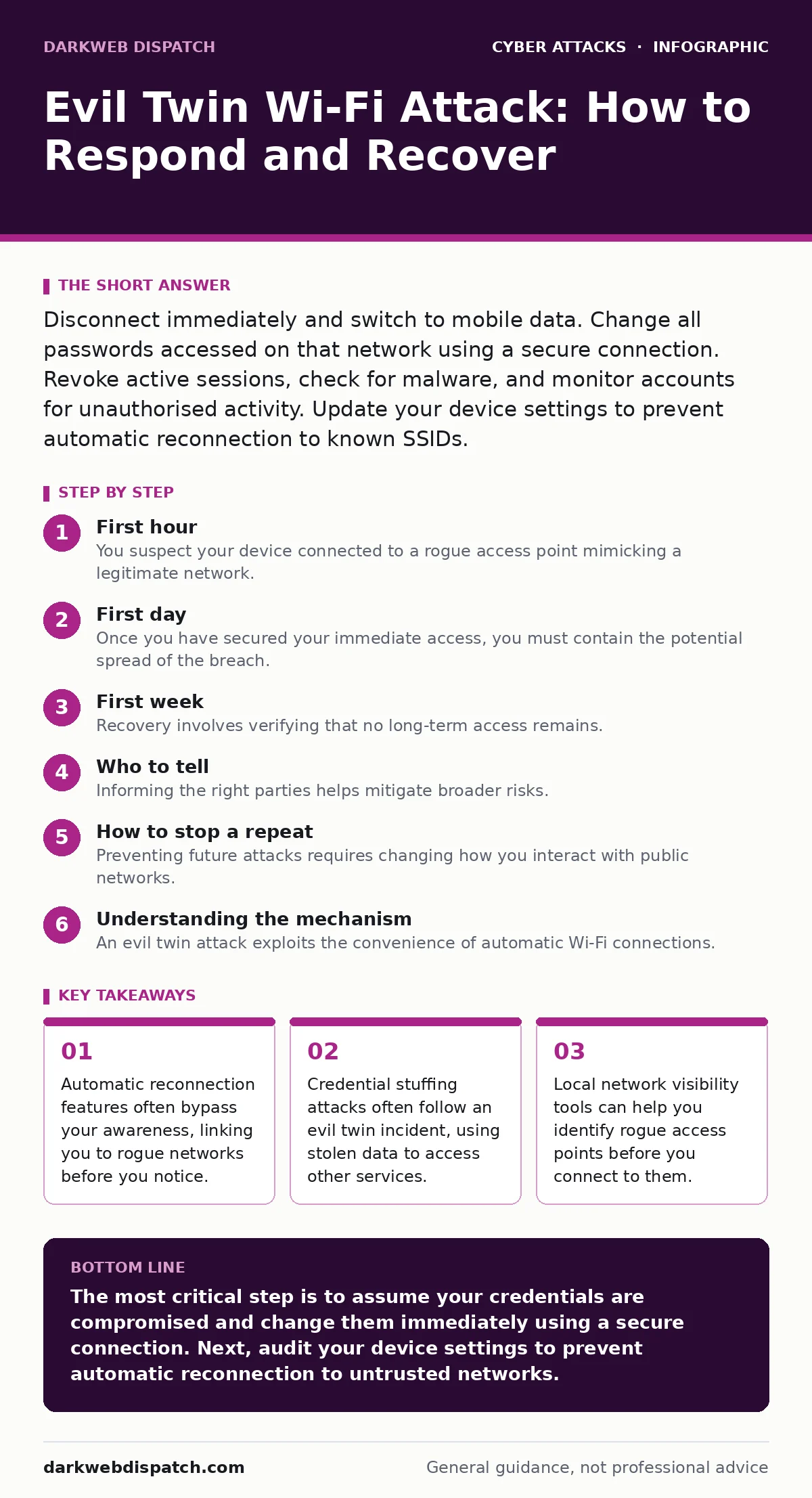
Disconnect immediately and switch to mobile data. Change all passwords accessed on that network using a secure connection. Revoke active sessions, check for malware, and monitor accounts for unauthorised activity. Update your device settings to prevent automatic reconnection to known SSIDs.
First hour
You suspect your device connected to a rogue access point mimicking a legitimate network. This is known as an evil twin attack, where an attacker broadcasts a Wi-Fi signal with the same name as a trusted network. Your device may have automatically connected to it, allowing the attacker to intercept unencrypted traffic.
- Disconnect from Wi-Fi entirely.
- Enable mobile data or find a trusted, private network.
- Change passwords for any account you accessed on the rogue network.
- Enable two-factor authentication if it is not already active.
The speed of your response determines the scope of the breach. If you entered a password while connected, assume it is compromised. Do not use the compromised password on any other service. Attackers frequently reuse stolen credentials across multiple platforms.
First day
Once you have secured your immediate access, you must contain the potential spread of the breach. The attacker may have captured more than just your login details. They might have intercepted session tokens, which allow access to accounts without a password.
Revoke all active sessions for critical accounts. This forces every device, including the attacker’s, to re-authenticate. Most major services allow you to view active devices and terminate sessions remotely. This step is vital because a stolen session token can bypass two-factor authentication.
Check your device for signs of further compromise. Evil twin attacks can sometimes deliver malware through malicious websites that auto-load. Run a full system scan using your existing security software. Look for unfamiliar applications or changes to your browser’s home page.
First week
Recovery involves verifying that no long-term access remains. The attacker may have installed persistent malware or captured data that they will exploit later. You need to monitor your accounts for unusual activity that might indicate a delayed attack.
Enable login alerts on your most sensitive accounts. These notifications inform you when someone attempts to access your profile from a new device or location. This provides an early warning system for credential stuffing attacks, where attackers use stolen passwords to try to gain access.
Review your device’s Wi-Fi configuration. Remove the rogue network name from your list of known networks. If your device remembers the network, it may connect to another rogue access point with the same name in the future. This prevents automatic reconnection, which is a common vector for repeat attacks.
Who to tell
Informing the right parties helps mitigate broader risks. If the rogue access point was in a public space, such as a café or airport, notify the venue’s management. They may be able to identify the source of the interference or improve their own security measures.
If you used corporate devices or accessed work resources, report the incident to your IT department immediately. They can reset your corporate credentials and check for data exfiltration. This step is critical for protecting organisational data and maintaining compliance with security policies.
For personal accounts, consider reporting the incident to the service providers. While they may not take direct action, reporting helps them identify patterns of abuse. This contributes to broader security improvements across the platform.
How to stop a repeat
Preventing future attacks requires changing how you interact with public networks. Relying on visual cues, such as the name of the network, is insufficient. Attackers can easily replicate these details. You must verify the network’s identity through other means.
Use mobile data as your primary connection method when possible. This eliminates the risk of Wi-Fi-based interception entirely. If you must use Wi-Fi, ensure that all traffic is encrypted. Look for websites that use HTTPS, which encrypts data between your device and the server.
Consider using a virtual private network, or VPN, when connecting to public Wi-Fi. A VPN creates an encrypted tunnel for your internet traffic, making it difficult for attackers to intercept your data. However, a VPN does not protect you from malicious websites or malware.
Understanding the mechanism
An evil twin attack exploits the convenience of automatic Wi-Fi connections. Your device scans for known networks and connects to the strongest signal with the matching name. The attacker simply sets up a router with the same name in a nearby location.
This method bypasses many security assumptions. Users often trust networks with familiar names, assuming they are legitimate. The attacker does not need to break encryption; they simply sit in the middle of the connection. This is a form of man-in-the-middle attack, where the attacker intercepts and potentially alters the communication between two parties.
Long-term defence
Sustainable security requires a shift in mindset. You cannot rely on technology alone to detect every threat. Human vigilance and good cyber hygiene are your best defences. Regularly update your devices and applications to patch known vulnerabilities.
Use password managers to generate and store unique passwords for each account. This limits the damage if one password is stolen. If an attacker steals a password for one service, they cannot use it to access your other accounts.
Be cautious with network discovery features. Some devices automatically connect to open networks or those with weak security. Disable these features if possible. Manually select networks to ensure you are connecting to the correct one.
Key takeaways
- Automatic reconnection features often bypass your awareness, linking you to rogue networks before you notice.
- Credential stuffing attacks often follow an evil twin incident, using stolen data to access other services.
- Local network visibility tools can help you identify rogue access points before you connect to them.
The most critical step is to assume your credentials are compromised and change them immediately using a secure connection. Next, audit your device settings to prevent automatic reconnection to untrusted networks.
Frequently asked questions
Can I tell if a Wi-Fi network is an evil twin?
It is difficult to distinguish visually. Look for duplicate network names with different signal strengths. If you see two networks with the same name, avoid both and use mobile data.
Does HTTPS protect me from evil twin attacks?
HTTPS encrypts your data, making it harder for attackers to read. However, it does not prevent them from seeing which sites you visit or blocking access. It also does not protect against malicious websites.
Should I use a VPN on public Wi-Fi?
A VPN encrypts your traffic, adding a layer of protection. However, it is not a substitute for other security measures. Ensure the VPN provider is trustworthy and uses strong encryption.
What if I didn’t enter any passwords on the rogue network?
You may still be at risk. Attackers can capture session cookies or redirect you to malicious sites. Change passwords for accounts that were active on your device, and monitor for unusual activity.
How this guide was produced: written by the DarkWeb Dispatch editorial team with AI assistance, checked against the public references listed below, and reviewed when the facts change. See our editorial policy or report an error.