Software Restriction Policies: Six Mistakes That Break Your Security
Blocking executables often bypasses control because scripts and interpreted files execute with the same privileges as native code, leaving lateral movement paths open.

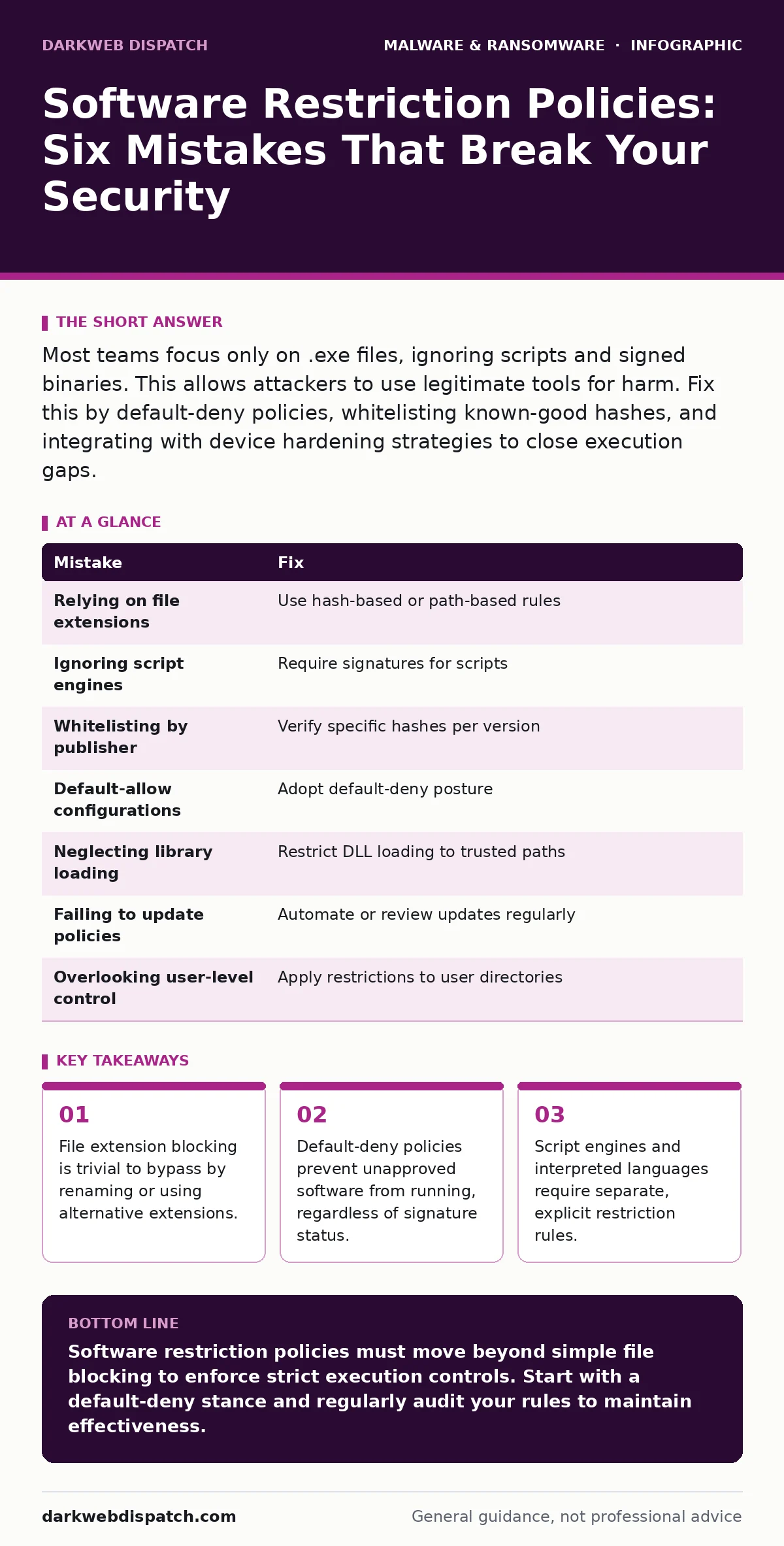
Most teams focus only on .exe files, ignoring scripts and signed binaries. This allows attackers to use legitimate tools for harm. Fix this by default-deny policies, whitelisting known-good hashes, and integrating with device hardening strategies to close execution gaps.
Mistake 1: Relying on file extensions for blocklists
Administrators often configure policies to block common executable extensions like .exe or .bat. Attackers easily circumvent this by renaming files to harmless extensions such as .txt or .jpg, then executing them via command-line interpreters. The operating system does not always enforce extension-based execution controls strictly.
Why it hurts: This approach creates a false sense of security. When users encounter a blocked file, they may seek workarounds, increasing risk. More critically, malware with non-standard extensions runs without triggering alerts, allowing initial footholds to establish silently.
The fix: Move beyond extension-based filtering. Implement path-based or hash-based rules that verify the origin and integrity of the file, not just its name. This aligns with broader device hardening principles, ensuring that only verified software executes in trusted directories.
Mistake 2: Ignoring script engines and interpreted files
Many policies focus exclusively on compiled executables, neglecting PowerShell, Python, or JavaScript. Attackers frequently use these scripts to download payloads or perform lateral movement without dropping traditional binaries. Script engines are often pre-installed and trusted by default.
Why it hurts: Scripts can execute malicious code directly in memory, bypassing file-system monitoring. If your policy allows any script to run, attackers can use living-off-the-land techniques to evade detection. This gap is particularly dangerous when combined with infostealers that harvest credentials for further access.
The fix: Restrict script execution to specific, approved paths and enforce execution policies that require digital signatures for scripts. Configure your environment so that only signed scripts from trusted publishers can run, reducing the attack surface for script-based exploits.
Mistake 3: Whitelisting by publisher alone
Policies often allow any file signed by a trusted publisher. Attackers exploit this by using stolen certificates or abusing legitimate software to host malicious payloads. A signed file does not guarantee safety if the publisher’s supply chain is compromised or if the certificate is misused.
Why it hurts: Trusting the publisher blindly allows malicious updates or trojanised legitimate applications to run. If a widely used vendor is targeted, your whitelist becomes a backdoor. This vulnerability is evident in cases where crypto-stealing malware masquerades as legitimate updates.
The fix: Combine publisher validation with hash-based verification. Instead of allowing all files from a publisher, approve only specific versions or hashes. This ensures that even if a certificate is stolen, unauthorized changes to the software will be blocked.
Mistake 4: Default-allow configurations
Many organisations start with a default-allow stance, blocking only known bad files. This reactive approach leaves thousands of unknown or newly created files executable. Attackers can introduce novel malware that has not yet been catalogued, slipping through the gaps.
Why it hurts: Default-allow policies require constant updating to keep pace with new threats. Every unblocked file is a potential entry point. This approach fails against fileless malware or custom tools designed for specific targets, leaving your environment exposed to emerging threats.
The fix: Adopt a default-deny posture. Only explicitly approved applications can run. This shifts the burden from tracking threats to verifying safety. While initially disruptive, it significantly reduces the attack surface and aligns with zero-trust principles.
Mistake 5: Neglecting library and DLL loading
Policies often focus on executables, ignoring dynamic link libraries (DLLs) or other shared libraries. Attackers can inject malicious code into legitimate processes by loading compromised libraries. This technique, known as DLL hijacking, allows malware to run under the guise of trusted applications.
Why it hurts: Library injection bypasses many execution controls because the main executable is legitimate. If your policy does not restrict library loading, attackers can persist within trusted processes, evading detection. This method is often used in spyware installations to maintain long-term access.
The fix: Implement rules that restrict library loading to trusted directories only. Ensure that applications can only load libraries from approved paths, such as the application’s own folder or system directories. This prevents hijacking attempts and ensures code integrity.
Mistake 6: Failing to update policies with software changes
Software updates change file hashes and paths, breaking existing whitelists. Administrators often delay updating policies to avoid disruption, leaving gaps in protection. Unapproved updates may run if not explicitly added to the allowlist, creating inconsistencies.
Why it hurts: Stale policies either block legitimate software, causing operational friction, or allow unverified updates to run. This inconsistency undermines user trust and security efficacy. Over time, the policy drifts from its intended state, creating blind spots.
The fix: Automate policy updates where possible, or establish a rigorous review process for software changes. Integrate with your software deployment tools to ensure that new versions are approved before release. This keeps your controls current without manual overhead.
Mistake 7: Overlooking user-level application control
Policies often apply only at the system level, ignoring user-specific applications. Attackers can install malicious tools in user directories that bypass system-wide restrictions. User-level execution gaps allow persistence even when system controls are tight.
Why it hurts: User directories are often excluded from strict policies to maintain flexibility. This allows attackers to drop and run malware without triggering system-level alerts. It is a common vector for double extortion ransomware, where initial access leads to credential theft and data exfiltration.
The fix: Extend application control to user directories. Restrict execution in user profiles to approved applications only. This ensures that even if an attacker gains user access, they cannot execute arbitrary code to escalate privileges or persist.
| Mistake | Fix |
|---|---|
| Relying on file extensions | Use hash-based or path-based rules |
| Ignoring script engines | Require signatures for scripts |
| Whitelisting by publisher | Verify specific hashes per version |
| Default-allow configurations | Adopt default-deny posture |
| Neglecting library loading | Restrict DLL loading to trusted paths |
| Failing to update policies | Automate or review updates regularly |
| Overlooking user-level control | Apply restrictions to user directories |
Key takeaways
- File extension blocking is trivial to bypass by renaming or using alternative extensions.
- Default-deny policies prevent unapproved software from running, regardless of signature status.
- Script engines and interpreted languages require separate, explicit restriction rules.
- Application control must evolve as software updates change file hashes continuously.
Software restriction policies must move beyond simple file blocking to enforce strict execution controls. Start with a default-deny stance and regularly audit your rules to maintain effectiveness.
Frequently asked questions
How do I start implementing software restriction policies?
Begin by auditing your environment to identify all legitimate software. Start with default-deny in a test group before rolling out widely.
Will default-deny policies disrupt business operations?
Initially, yes. Plan for an approval process and communicate changes to users to minimise friction and ensure compliance.
Can software restriction policies stop all malware?
No, they reduce the attack surface significantly but cannot stop all threats. Combine them with other security measures for layered defence.
How often should I update my software restriction policies?
Update policies with every software change. Automate where possible to ensure timely updates and maintain consistent protection.
How this guide was produced: written by the DarkWeb Dispatch editorial team with AI assistance, checked against the public references listed below, and reviewed when the facts change. See our editorial policy or report an error.