Crypto Stealers: How Small Teams Lose Access and How to Stop It
Most small business breaches begin with a compromised personal device, not a server exploit, because employees reuse credentials across professional and private accounts.

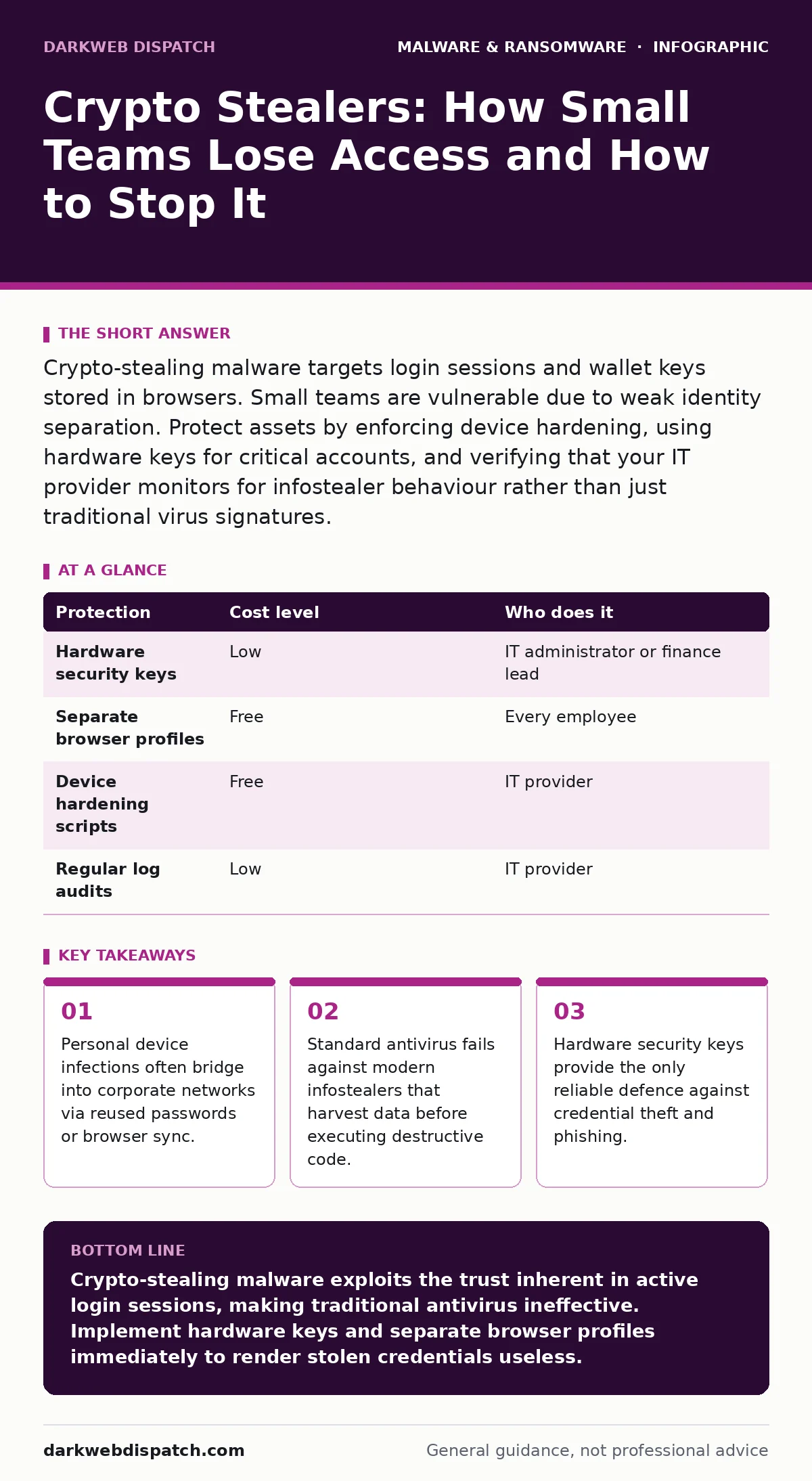
Crypto-stealing malware targets login sessions and wallet keys stored in browsers. Small teams are vulnerable due to weak identity separation. Protect assets by enforcing device hardening, using hardware keys for critical accounts, and verifying that your IT provider monitors for infostealer behaviour rather than just traditional virus signatures.
The Blurred Line Between Personal and Professional
Small organisations face a unique structural weakness: the boundary between personal and professional computing is often non-existent. Employees frequently use the same browser profile for banking, shopping, and work tasks. When a single device handles both identities, a compromise in one area grants access to the other.
Crypto-stealing malware exploits this convenience. It does not need to break into your corporate firewall if it can steal the session cookie that proves you are already logged in. These cookies act as temporary keys, allowing the malware to impersonate you to services like banking portals or cloud storage providers.
This method bypasses multi-factor authentication if the attacker already possesses the active session. The malware harvests the token, sends it to a remote server, and the attacker logs in from anywhere. Your security perimeter becomes irrelevant because the attack originates from inside the trusted session.
Why Traditional Defences Fail
Most small businesses rely on endpoint detection and response tools that look for known malicious files. Modern infostealers operate differently. They often arrive as legitimate-looking software updates or cracked applications, signed with stolen certificates.
Once installed, they do not immediately encrypt files or display ransom notes. Instead, they quietly scan the hard drive for specific patterns. They look for configuration files used by cryptocurrency wallets, browser password managers, and email clients.
This stealthy behaviour means traditional antivirus software may never flag the activity. The malware is simply reading files, an action that looks like normal user behaviour. By the time you notice missing funds or locked accounts, the data has already been exfiltrated.
The Hidden Cost of Credential Reuse
The most common entry point for these attacks is not a complex exploit, but a reused password. If an employee uses the same password for their personal email and their work account, a breach of the personal account compromises the business.
Even if you use a password manager, the risk persists if you do not separate profiles. Many password managers allow you to save credentials for any site. If a malicious website mimics your banking portal, the manager may auto-fill the details, handing them directly to the attacker.
This is where the concept of device hardening becomes critical. You must ensure that work devices are configured to prevent the installation of unverified software and to restrict browser extensions that can read page content. Without these controls, a single malicious extension can harvest every password you save.
Low-Cost Protections for Small Teams
You do not need enterprise-grade security suites to mitigate these risks. Simple, disciplined changes to how you handle identities offer significant protection. The goal is to make stolen credentials useless to an attacker.
| Protection | Cost level | Who does it |
|---|---|---|
| Hardware security keys | Low | IT administrator or finance lead |
| Separate browser profiles | Free | Every employee |
| Device hardening scripts | Free | IT provider |
| Regular log audits | Low | IT provider |
Hardware security keys are small USB or NFC devices that physically authenticate your identity. Unlike SMS codes or app-based tokens, they cannot be phished or stolen remotely. An attacker with your password and session cookie still cannot log in without the physical key.
Separating browser profiles is equally effective. Create a dedicated work profile in your browser that contains no personal accounts. Never log into personal banking or shopping sites within this profile. If malware infects the personal profile, the work profile remains isolated.
What to Ask Your IT Provider
Many small businesses outsource IT support, but few verify that the provider understands modern threats. You must ensure your provider is looking for behaviour, not just file signatures.
Ask specific questions to gauge their competence. Do not accept vague assurances about "keeping systems safe." You need to know exactly what they monitor and how they respond to anomalies.
- Do you monitor for infostealer behaviour, such as rapid access to multiple wallet configuration files?
- How do you distinguish between a legitimate user logging in from a new location and a stolen session token?
- Do you enforce software restriction policies to prevent the installation of unverified browser extensions?
- What is your process for isolating a device that shows signs of data exfiltration?
- Do you provide training on recognising phishing attempts that target crypto wallets?
See also: Traffic Light Protocol: What Small Businesses Need to Know · Zero-Day Vulnerabilities: Risks and Protection for Small Businesses
The Role of Software Restriction Policies
Software restriction policies limit which applications can run on your devices. This is a powerful tool against malware that relies on executing scripts or installing extensions.
By default, most operating systems allow any signed application to run. Attackers steal valid digital certificates to sign their malware, making it appear legitimate. Restriction policies can block any application that is not explicitly approved by your IT team.
This approach reduces the attack surface significantly. Even if an employee downloads a malicious file, it cannot execute. This is particularly effective against ransomware-as-a-service kits that rely on initial access brokers to deliver payloads.
Moving Beyond Basic Awareness
Training employees to "be careful" is insufficient. You must implement technical controls that enforce good behaviour. Awareness campaigns tell you what to do; technical controls ensure you do it.
Consider the risks of Mac malware as well. Many users believe Apple devices are immune to threats, leading to lax security habits. Infostealers target macOS just as aggressively as Windows, often exploiting the assumption of safety.
Integrate these controls into your daily workflow. Use hardware keys for all financial accounts. Keep personal and work browsers separate. Verify that your IT provider is actively hunting for data theft, not just waiting for alerts.
Key takeaways
- Personal device infections often bridge into corporate networks via reused passwords or browser sync.
- Standard antivirus fails against modern infostealers that harvest data before executing destructive code.
- Hardware security keys provide the only reliable defence against credential theft and phishing.
Crypto-stealing malware exploits the trust inherent in active login sessions, making traditional antivirus ineffective. Implement hardware keys and separate browser profiles immediately to render stolen credentials useless.
Frequently asked questions
Can a crypto stealer access my funds if I use a hardware wallet?
No, as long as you never sign transactions on an infected device. Hardware wallets keep private keys offline, so malware cannot steal them.
Do I need a hardware key for every employee?
Prioritise keys for anyone with access to financial accounts, admin consoles, or sensitive customer data. Standard users can rely on strong password managers and session isolation.
How do I know if my IT provider is checking for infostealers?
Ask for a sample report of their threat detection. If it only lists blocked viruses, they are not monitoring for data exfiltration or suspicious script execution.
Is separating browser profiles difficult for staff to manage?
It requires discipline but is technically simple. Most browsers allow you to create distinct profiles with different icons and saved data, keeping work and personal lives visually and technically separate.
How this guide was produced: written by the DarkWeb Dispatch editorial team with AI assistance, checked against the public references listed below, and reviewed when the facts change. See our editorial policy or report an error.