Stop Spyware: Practical Prevention Measures That Actually Work
Most spyware relies on voluntary permission rather than a break-in; revoking app access is the single most effective defence against data theft.
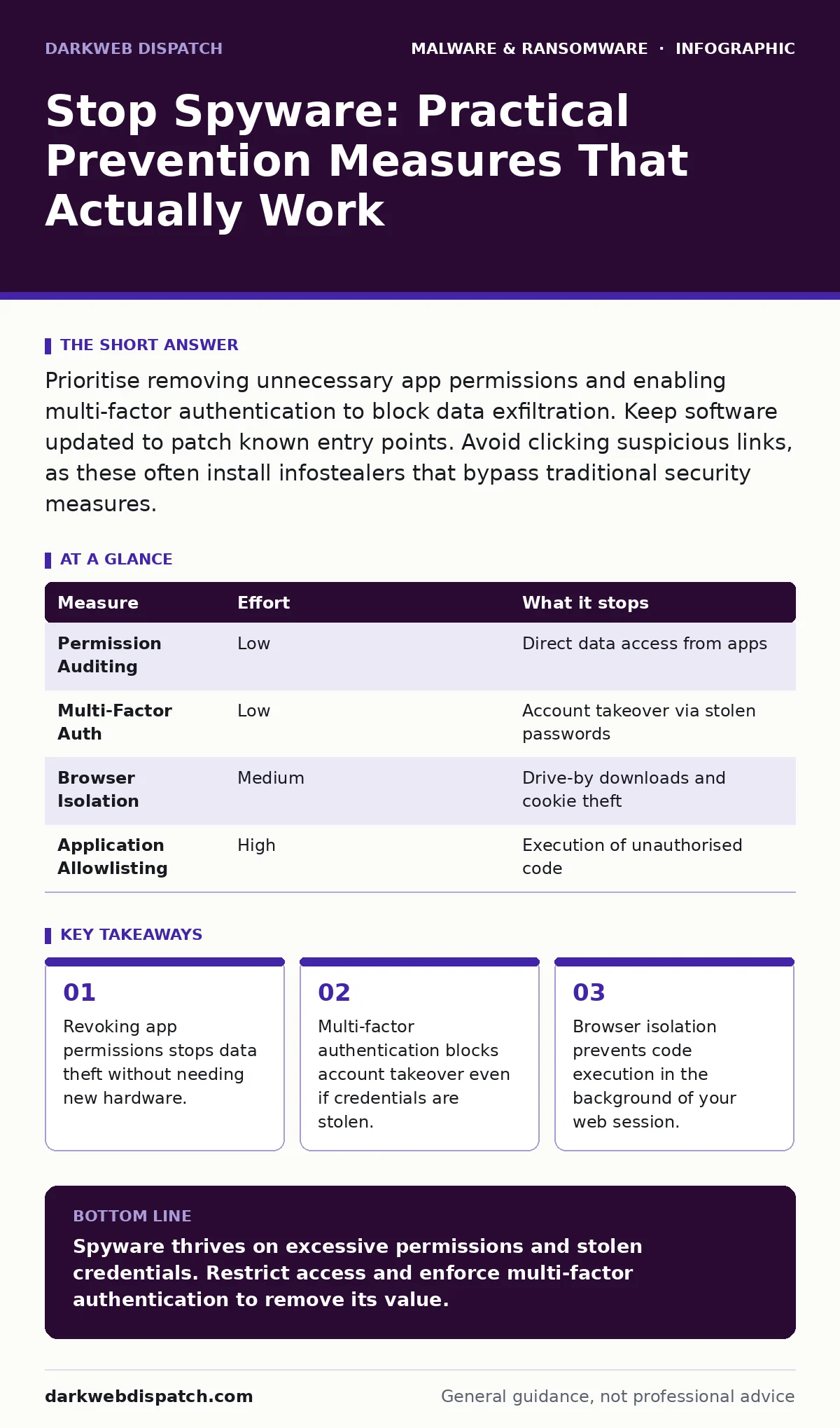
Prioritise removing unnecessary app permissions and enabling multi-factor authentication to block data exfiltration. Keep software updated to patch known entry points. Avoid clicking suspicious links, as these often install infostealers that bypass traditional security measures.
The Permission Trap
Spyware rarely breaks into your system like a burglar. It usually asks for an invitation. Most modern threats function as legitimate applications that request access to your microphone, camera, contacts or location. When you grant these permissions, you create a direct pipeline for data extraction. The threat actor does not need to crack your encryption; they simply wait for the application to send your information home.
This mechanism means that traditional perimeter defences often miss the threat entirely. The application is signed, trusted and running with your explicit consent. The vulnerability lies not in the code itself, but in the scope of access you have granted. You must treat every permission request as a potential backdoor.
Imagine you install a simple flashlight app. It requests access to your photo library. This permission seems unnecessary for its core function. If you grant it, the app can harvest every image on your device. This is not a theoretical edge case; it is a common distribution method for lightweight spyware.
Revoking Access Rights
The most impactful step you can take is to audit and restrict application permissions. Review the settings on your operating system to see which apps have access to sensitive data. Remove access for any application that does not strictly require it to function. A weather app does not need your contacts. A calculator does not need your location.
This process removes the attack surface at the application layer. Even if the application contains malicious code, it cannot exfiltrate data it cannot touch. This measure works on both computers and mobile devices. It is a low-effort task with high security returns.
This approach also mitigates the risk of supply chain attacks. If a developer of a popular utility is compromised, their next update may include spyware. If that utility has no access to your files or network, the damage is contained. You limit the blast radius of any single infection.
Authentication Defences
When spyware does manage to capture data, it usually targets credentials. Keyloggers record every keystroke, while screen scrapers take snapshots of your active windows. The goal is to harvest usernames and passwords. However, stealing a password is only half the battle for the attacker.
Multi-factor authentication breaks this chain. It requires a second form of verification, such as a code from a hardware key or an authenticator app, that the spyware cannot easily replicate. Even if the malware captures your password, the attacker cannot log in without the second factor.
This is particularly effective against infostealers, which are designed to scrape browser cookies and saved passwords. These tools are widely available and easy to deploy. Multi-factor authentication renders the stolen credentials useless for most accounts. You effectively neutralise the primary motivation for deploying this class of spyware.
Browser Isolation and Hygiene
Your web browser is the most exposed component of your digital life. It processes untrusted code from millions of sources. Malvertising, which is advertising that has been tampered with to deliver malware, often exploits vulnerabilities in browser plugins or the browser engine itself. These exploits can run silently in the background.
Using a dedicated browser for sensitive tasks reduces this risk. Keep your primary browser strictly for banking and email. Use a separate, sandboxed browser for general web browsing. This separation ensures that a compromise in one context does not bleed into the other.
You should also disable unnecessary browser extensions. Each extension is a piece of code that runs with elevated privileges within your browser. A compromised extension can read every page you visit and every form you fill out. Disable or remove extensions you do not actively use every day.
Software Integrity and Updates
Outdated software contains known vulnerabilities that automated tools can exploit. Spyware distributors scan for systems running old versions of operating systems or applications. They target these weaknesses because they are easy to exploit and often do not require user interaction.
Enable automatic updates for your operating system and critical applications. This ensures you receive security patches as soon as they are released. You reduce the window of opportunity for attackers to exploit known flaws. This is a passive defence that works continuously.
You can complement this with application allowlisting. This technique restricts which programs can run on your system. Only approved, signed applications are allowed to execute. This prevents unknown or unsigned spyware from launching, even if it is downloaded. It is a stricter form of control than traditional antivirus.
Device Hardening Strategies
Hardening your device involves reducing the number of ways an attacker can interact with it. Disable unused ports, such as Bluetooth or USB, when you are not using them. This prevents physical attacks where an attacker plugs a malicious device into your computer.
Use full disk encryption. This ensures that if your device is lost or stolen, the data on it remains unreadable without your password. Spyware installed on the device cannot access the encrypted files if the operating system is not running. This protects your data at rest.
Consider using a standard user account for daily tasks. Administrator accounts have full control over the system, including the ability to install software and change system settings. Running as a standard user prevents many types of malware from installing themselves permanently. This aligns with the principles of attack surface reduction rules.
What Does Not Work
Relying solely on antivirus software is insufficient. Modern spyware often uses legitimate system tools to perform malicious actions, a technique known as living off the land. This makes it difficult for signature-based antivirus to detect the threat. The behaviour looks like normal system activity.
Similarly, privacy-focused browsers do not protect you from spyware installed on the operating system. They only isolate your web browsing activity. If the spyware is running at the system level, it can still capture keystrokes and screen content. You need layered defences.
| Measure | Effort | What it stops |
|---|---|---|
| Permission Auditing | Low | Direct data access from apps |
| Multi-Factor Auth | Low | Account takeover via stolen passwords |
| Browser Isolation | Medium | Drive-by downloads and cookie theft |
| Application Allowlisting | High | Execution of unauthorised code |
Closing Checklist
Take these three actions today to significantly reduce your risk.
- Review app permissions on your phone and computer. Revoke access for any app that does not need it.
- Enable multi-factor authentication on all accounts that support it. Use an authenticator app or hardware key.
- Update your operating system and browser to the latest version. Disable unused browser extensions.
These steps address the most common vectors for spyware. They require no special technical knowledge and provide immediate benefit. Regular maintenance of these settings is more effective than occasional deep scans.
Key takeaways
- Revoking app permissions stops data theft without needing new hardware.
- Multi-factor authentication blocks account takeover even if credentials are stolen.
- Browser isolation prevents code execution in the background of your web session.
Spyware thrives on excessive permissions and stolen credentials. Restrict access and enforce multi-factor authentication to remove its value.
Frequently asked questions
Does turning off location services stop spyware?
It prevents apps from tracking your physical location, but it does not stop spyware from stealing passwords or other data. You need broader permission controls.
Can a firewall stop spyware?
A firewall can block outbound connections to known malicious servers, but it cannot stop spyware that communicates with legitimate-looking domains. It is a partial defence.
Is mobile spyware harder to remove than PC spyware?
Mobile operating systems are more sandboxed, making installation harder. However, once installed, it can be difficult to remove without a factory reset. Prevention is key.
Do private browsing modes protect against spyware?
No. Private browsing only hides your history from local users. It does not prevent malware from running on your device or stealing data from your system.
How this guide was produced: written by the DarkWeb Dispatch editorial team with AI assistance, checked against the public references listed below, and reviewed when the facts change. See our editorial policy or report an error.