Container Escape Mistakes: 7 Errors That Break Isolation
Most container breaches occur because administrators misconfigure kernel capabilities rather than because attackers exploit complex software vulnerabilities.

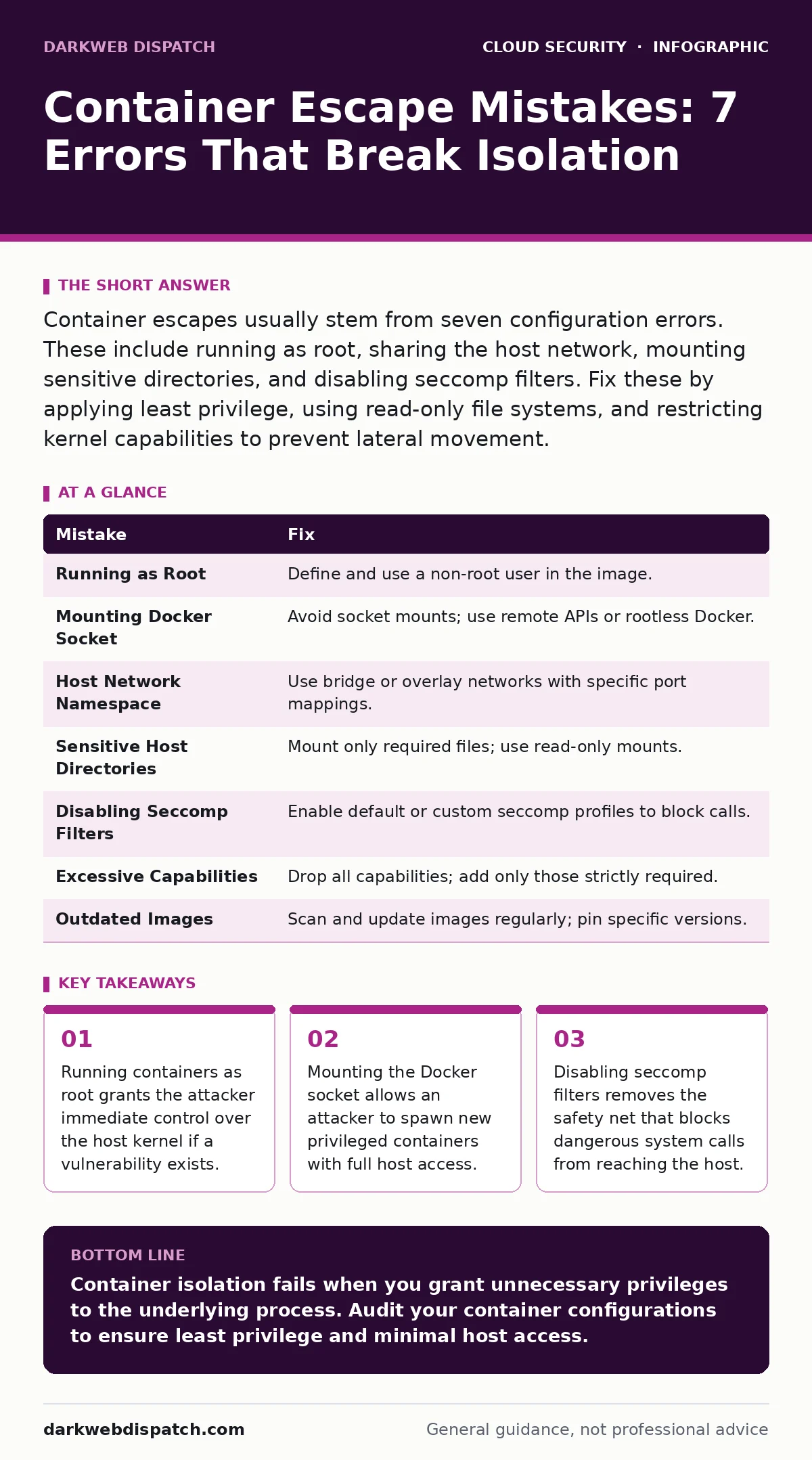
Container escapes usually stem from seven configuration errors. These include running as root, sharing the host network, mounting sensitive directories, and disabling seccomp filters. Fix these by applying least privilege, using read-only file systems, and restricting kernel capabilities to prevent lateral movement.
Mistake 1: Running Containers as Root
Running a container process with root privileges creates a direct bridge between the container and the host operating system. Many base images default to root execution, which seems convenient for debugging but ignores the security boundary. If an attacker exploits a vulnerability within the application, they inherit root permissions inside the container.
Why it hurts:
The Linux kernel shares the same user ID space across the host and container by default. When a process runs as root inside the container, it maps to root on the host. A successful exploit allows the attacker to modify host files, install backdoors, or pivot to other systems. This bypasses the primary isolation benefit of containerisation. The attacker gains administrative control without needing further privilege escalation steps.
The fix:
Define a non-root user in the container image and switch to that user before starting the main process. Use the USER directive in Dockerfiles or the runAsUser field in Kubernetes manifests. This ensures that even if the application is compromised, the attacker operates with limited permissions. They cannot write to critical system directories or access host resources protected by file permissions.
Mistake 2: Mounting the Docker Socket
Administrators often mount the Docker socket into a container to allow tools to manage other containers. This practice is common in CI/CD pipelines and monitoring setups. The socket provides programmatic access to the Docker daemon, which runs with root privileges on the host. This creates a high-risk attack surface that many teams overlook during initial deployment.
Why it hurts:
An attacker who compromises a container with socket access can issue commands to the Docker daemon. They can create a new container that mounts the host's root filesystem. This new container runs with full privileges, effectively giving the attacker complete control over the host machine. The original container escape is not needed; the attacker simply uses the API to bypass isolation entirely.
The fix:
Avoid mounting the Docker socket whenever possible. Use alternative methods for container management, such as remote APIs with strict authentication or dedicated orchestration tools. If socket access is unavoidable, restrict it to specific namespaces and apply network policies that limit who can communicate with the management tools. Consider using rootless Docker configurations to reduce the impact of daemon compromise.
Mistake 3: Sharing the Host Network Namespace
Some applications require direct access to host network interfaces or low-level socket operations. Administrators sometimes configure containers to share the host network namespace to achieve this. This configuration removes the network isolation layer between the container and the host. The container sees all network interfaces and can bind to any port on the host.
Why it hurts:
Sharing the network namespace exposes host services to the container. An attacker can scan internal host ports, intercept traffic, or impersonate host services. They can also access loopback interfaces that host applications use for communication. This breaks the principle of least privilege by granting the container visibility into all network traffic. The attacker can pivot to other services running on the host without leaving the container.
The fix:
Use bridge networks or overlay networks instead of host networking. Define specific port mappings that expose only the necessary services. This maintains network isolation while allowing required communication. If low-level network access is truly required, consider using capabilities like NET_ADMIN sparingly and in combination with other restrictions. Monitor network traffic for anomalies that indicate lateral movement.
Mistake 4: Mounting Sensitive Host Directories
Mounting host directories into containers allows data persistence and configuration management. However, mounting sensitive paths like /etc, /var/run, or the root filesystem is a common error. These directories contain critical system files, secrets, and process information. Administrators often mount these paths to simplify configuration but fail to restrict read or write access.
Why it hurts:
An attacker with write access to mounted sensitive directories can modify host configuration files. They can alter SSH keys, add new users, or change system binaries. Read access allows them to harvest credentials, certificates, and other secrets stored on the host. This leads to immediate credential theft and potential compromise of other systems. The container becomes a gateway for extracting sensitive data from the host.
The fix:
Mount only the specific files or directories the application requires. Use read-only mounts wherever possible to prevent modification. Avoid mounting entire directories if individual files suffice. Use secrets management tools instead of mounting sensitive files directly. This reduces the attack surface and limits the impact of a compromised container. Regularly audit mounted volumes to ensure they align with the application's needs.
Mistake 5: Disabling Seccomp Filters
Seccomp filters restrict the system calls a container process can make. Many base images or deployment configurations disable these filters to avoid compatibility issues. This decision removes a critical layer of defence that blocks dangerous operations. Without seccomp, a compromised process can attempt any system call supported by the kernel.
Why it hurts:
Seccomp filters prevent processes from executing system calls that could compromise the host, such as mounting filesystems or modifying kernel parameters. Disabling these filters allows an attacker to attempt exploits that rely on blocked system calls. This increases the likelihood of a successful container escape. The attacker can probe for vulnerabilities that would otherwise be inaccessible due to restricted system call permissions.
The fix:
Enable default seccomp profiles for all containers. Create custom profiles that allow only the specific system calls required by the application. Test these profiles thoroughly to ensure application functionality is not impacted. Use tools that generate seccomp profiles based on application behaviour. This ensures that unnecessary system calls are blocked, reducing the attack surface significantly.
See also: SaaS Access Reviews: 6 Mistakes That Leave Accounts Exposed · What is Cloud Governance: Control Access Without Choking Innovation
Mistake 6: Granting Excessive Linux Capabilities
Linux capabilities break up root privileges into distinct units. Granting all capabilities to a container is equivalent to running as root. Administrators often grant excessive capabilities to resolve permission errors rather than investigating the root cause. This practice undermines the security model by giving the container more power than it needs.
Why it hurts:
Capabilities like SYS_ADMIN or DAC_OVERRIDE allow the container to perform privileged operations. An attacker can use these capabilities to mount filesystems, bypass file permissions, or modify kernel settings. This enables container escapes that would otherwise be impossible. The attacker gains the ability to manipulate the host environment directly. Excessive capabilities turn a contained breach into a full host compromise.
The fix:
Drop all capabilities by default and add only those required by the application. Use tools to identify the minimum set of capabilities needed. Document the justification for each added capability. Regularly review and update capability assignments as application requirements change. This ensures that containers operate with the least privilege necessary, limiting the impact of potential exploits.
Mistake 7: Using Outdated Container Images
Container images often contain known vulnerabilities in their base operating systems or libraries. Administrators frequently reuse old images without updating them. This practice leaves the container exposed to exploits that have been publicly disclosed. Outdated images are a low-hanging fruit for attackers scanning for vulnerable systems.
Why it hurts:
Vulnerabilities in base images can lead to remote code execution or privilege escalation. Attackers exploit these known weaknesses to gain initial access. Once inside, they can look for misconfigurations to escalate privileges further. Using outdated images increases the attack surface and reduces the time to compromise. The attacker benefits from publicly available exploit code that targets known vulnerabilities.
The fix:
Implement a process for regularly updating container images. Use automated tools to scan images for known vulnerabilities. Pin image versions to specific tags rather than using latest. Rebuild images frequently to incorporate security patches. This ensures that containers run with the most recent security fixes. Regular updates reduce the risk of exploitation from known vulnerabilities.
| Mistake | Fix |
|---|---|
| Running as Root | Define and use a non-root user in the image. |
| Mounting Docker Socket | Avoid socket mounts; use remote APIs or rootless Docker. |
| Host Network Namespace | Use bridge or overlay networks with specific port mappings. |
| Sensitive Host Directories | Mount only required files; use read-only mounts. |
| Disabling Seccomp Filters | Enable default or custom seccomp profiles to block calls. |
| Excessive Capabilities | Drop all capabilities; add only those strictly required. |
| Outdated Images | Scan and update images regularly; pin specific versions. |
Key takeaways
- Running containers as root grants the attacker immediate control over the host kernel if a vulnerability exists.
- Mounting the Docker socket allows an attacker to spawn new privileged containers with full host access.
- Disabling seccomp filters removes the safety net that blocks dangerous system calls from reaching the host.
Container isolation fails when you grant unnecessary privileges to the underlying process. Audit your container configurations to ensure least privilege and minimal host access.
Frequently asked questions
Does running as non-root prevent all container escapes?
No, running as non-root reduces the impact of an exploit but does not prevent all escapes. Kernel vulnerabilities or misconfigured capabilities can still allow privilege escalation.
How do I check if my container uses the host network?
Inspect the container configuration or deployment manifest. Look for network mode settings that specify host network usage.
Can seccomp profiles break my application?
Yes, overly restrictive seccomp profiles can block necessary system calls. Test profiles thoroughly in a staging environment before production deployment.
What is the difference between capabilities and root?
Capabilities allow specific privileged operations without full root access. Root has all capabilities by default. Dropping capabilities limits what the process can do.
How this guide was produced: written by the DarkWeb Dispatch editorial team with AI assistance, checked against the public references listed below, and reviewed when the facts change. See our editorial policy or report an error.