Email Account Compromise: Definition, Mechanics and Mitigation
Attackers often bypass complex passwords by stealing active session tokens, rendering traditional authentication safeguards completely ineffective.
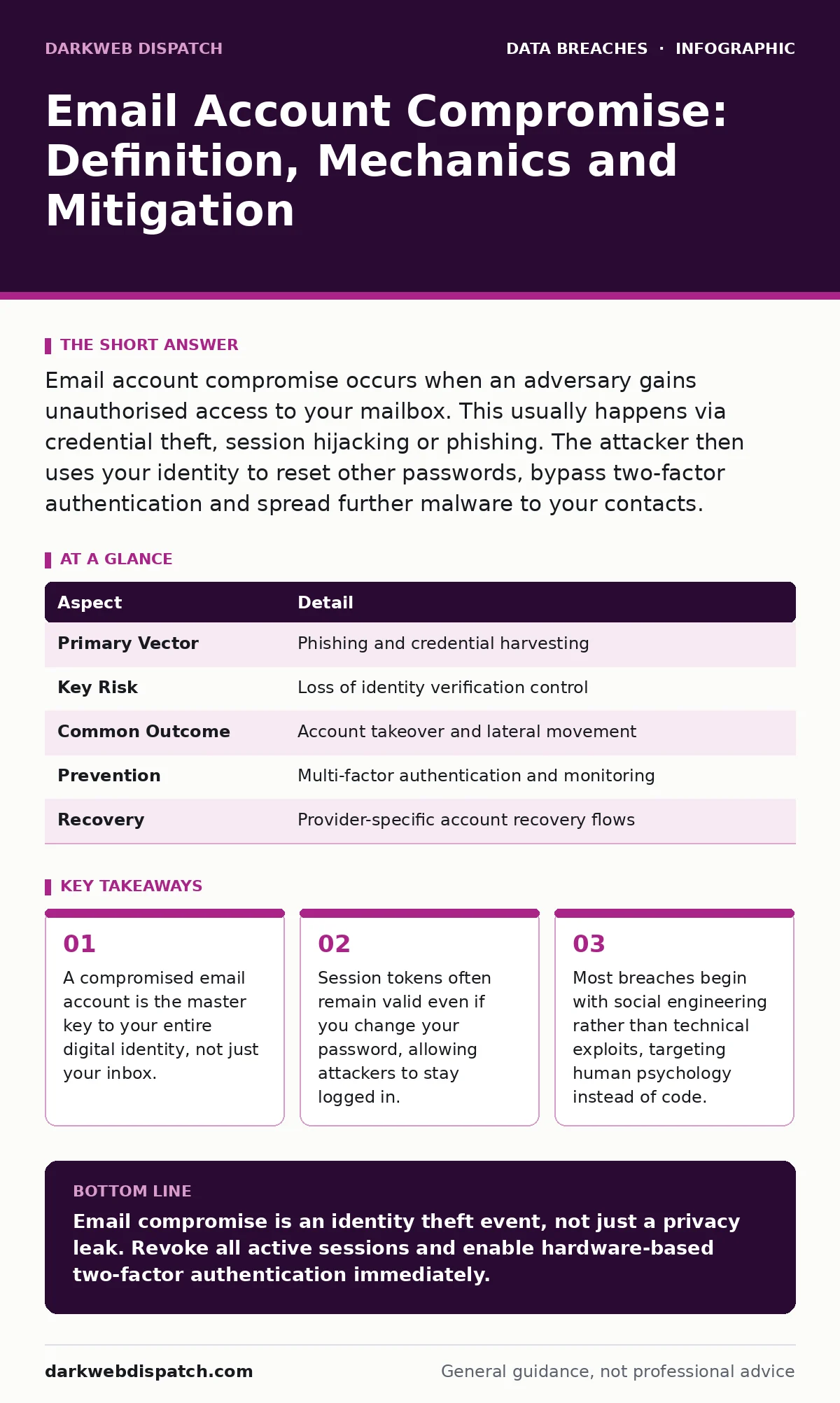
Email account compromise occurs when an adversary gains unauthorised access to your mailbox. This usually happens via credential theft, session hijacking or phishing. The attacker then uses your identity to reset other passwords, bypass two-factor authentication and spread further malware to your contacts.
The Digital Front Door
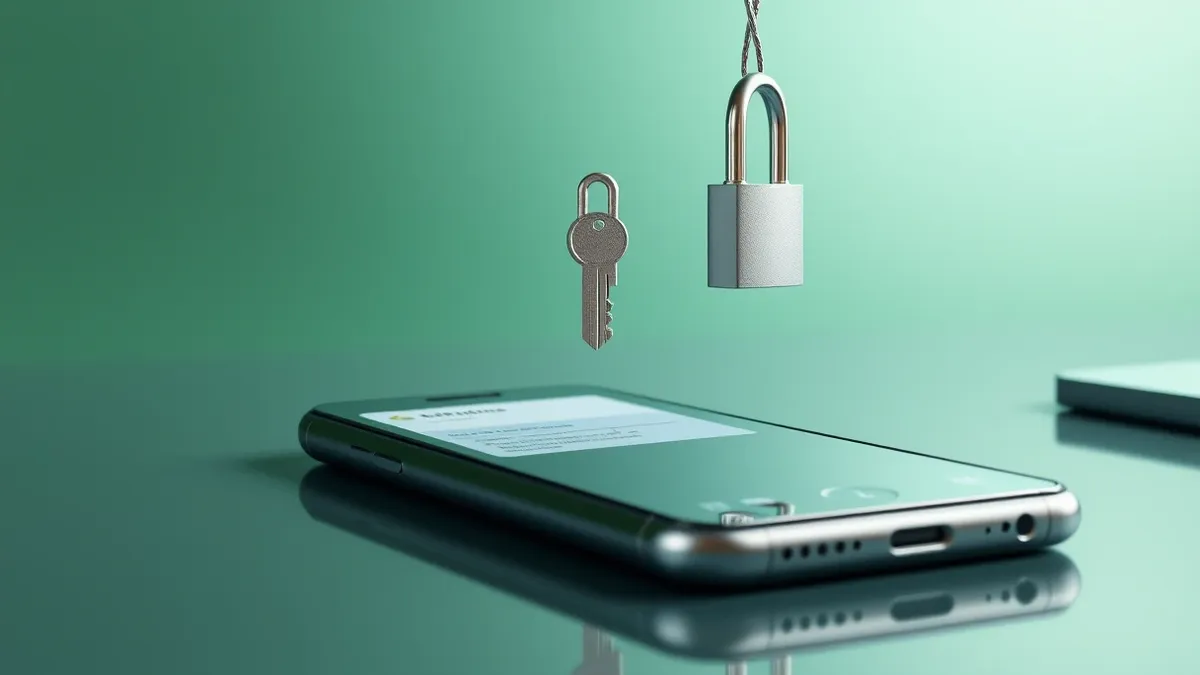
Imagine your email inbox is the front door to your house. You might install a heavy deadbolt, which represents a strong password. You might even add a chain lock, which represents two-factor authentication. However, if a burglar finds a spare key hidden under the mat, or if they simply walk in while you are distracted, those locks matter very little.
Email account compromise is the unauthorised takeover of this digital entry point. It is not merely about someone reading your private letters. It is about an adversary gaining control of the identity verification mechanism that most online services rely on. When you lose your email, you lose the ability to prove who you are to banks, social networks and work systems.
| Aspect | Detail |
|---|---|
| Primary Vector | Phishing and credential harvesting |
| Key Risk | Loss of identity verification control |
| Common Outcome | Account takeover and lateral movement |
| Prevention | Multi-factor authentication and monitoring |
| Recovery | Provider-specific account recovery flows |
How Access Is Gained
Attackers rarely break into email servers directly. Those systems are heavily fortified. Instead, they target the user. The most common method is phishing, where a deceptive message tricks you into revealing your login details on a fake website. These sites look identical to legitimate providers, making visual inspection unreliable.
Another method involves credential stuffing. Adversaries take username and password pairs leaked from other breaches and automate login attempts against your email. If you reuse passwords, this works instantly. A third, more insidious method is the theft of session tokens. These are digital tickets that prove you have already logged in. If an attacker steals this token, they can access your account without needing your password or your second factor.
The Ripple Effect
The impact of losing an email account extends far beyond lost messages. Email is the universal reset mechanism. If an attacker controls your inbox, they can reset the passwords for your banking, social media and cloud storage accounts. They do not need to guess your passwords; they simply trigger the "forgot password" flow and intercept the reset link.
This creates a cascading failure. Once they control your financial accounts, they can drain funds. Once they control your social profiles, they can defraud your contacts. For organisations, a compromised employee email allows attackers to impersonate leadership and request wire transfers or sensitive data. This aligns with the risks detailed in guides on third-party risk assessments, where one weak link compromises the entire supply chain.
What People Usually Get Wrong
Many users believe that changing their password immediately after a breach stops the attacker. This is a dangerous misconception. If the attacker has stolen a session token, changing your password does not invalidate that token. The attacker remains logged in. You must explicitly log out of all devices and sessions, not just change the secret string you type at login.
Another common error is assuming that two-factor authentication via SMS is sufficient. SIM swapping attacks allow adversaries to port your phone number to a device they control. Once they have your phone number, they intercept your text-based codes. This is why SMS is considered a weak second factor. It verifies possession of a phone number, not a specific device or person.
Hidden Costs and Complexity
The technical effort to secure an email account is often misunderstood. Users focus on the password, ignoring the permissions granted to third-party applications. Many email clients and productivity tools connect to your inbox via OAuth. If one of these apps is compromised or poorly secured, it can grant the attacker persistent access to your mail.
This is a form of shadow IT data exposure. You may not even know these connections exist. They appear as authorised apps in your account settings. An attacker can use these existing permissions to read, copy and delete your emails without ever touching your main login credentials. Auditing these connections is tedious but necessary for true security.
See also: Secure Email Gateways Explained: How the Post Office Analogy Works
Reducing the Risk
Mitigation requires layers. First, use a password manager to generate and store unique, complex passwords for every service. This prevents credential stuffing from succeeding. Second, enable hardware-based two-factor authentication, such as a security key or FIDO2 device. These devices are bound to your physical hardware and cannot be phished or cloned remotely.
Third, monitor your account activity. Most providers show a list of recent logins, including location and device type. Look for unfamiliar entries. If you see a login from a city you have never visited, act immediately. Finally, limit the data you share publicly. Attackers use data scraping to find your email addresses and associate them with other personal details, making their phishing attempts more convincing and targeted.
Recovery and Resilience
If compromise occurs, speed is critical. Change your password and revoke all active sessions immediately. Contact your email provider’s support team to flag the account. They may be able to freeze access or provide logs of what the attacker did. Check for forwarding rules the attacker may have set up to hide their activity.
After securing the account, change passwords for any other service that used that email for registration. This is particularly vital for financial and healthcare accounts, which are subject to strict standards like the HIPAA Security Rule or PCI DSS. These frameworks require specific controls for data access, and an unauthorised entry via email violates those principles.
The Human Element
Technology alone cannot prevent email compromise. The weakest link is often the user’s willingness to click a link or answer a question. Attackers craft messages that create urgency or fear. They mimic colleagues, bosses or service providers. They exploit your desire to be helpful or compliant.
Training yourself to pause before clicking is the most effective defence. Verify the sender’s address carefully. Look for slight misspellings in the domain name. If a message asks for sensitive information, contact the sender through a different channel, such as a phone call, to confirm the request. This simple step breaks the attacker’s chain of deception.
Understanding stolen session tokens helps you appreciate why logging out is as important as logging in. It shifts your mindset from password-centric security to session-centric security. This broader view makes you resilient against methods that bypass traditional authentication entirely.
Key takeaways
- A compromised email account is the master key to your entire digital identity, not just your inbox.
- Session tokens often remain valid even if you change your password, allowing attackers to stay logged in.
- Most breaches begin with social engineering rather than technical exploits, targeting human psychology instead of code.
Email compromise is an identity theft event, not just a privacy leak. Revoke all active sessions and enable hardware-based two-factor authentication immediately.
Frequently asked questions
Can I be hacked if I have a strong password?
Yes, if an attacker steals your session token or tricks you into clicking a phishing link, your password strength becomes irrelevant.
How do I know if my email has been compromised?
Look for unexpected password reset emails, missing messages, or unfamiliar forwarding rules in your account settings.
Is SMS two-factor authentication safe?
It is better than nothing, but it is vulnerable to SIM swapping attacks. Hardware keys or authenticator apps are significantly more secure.
What should I do if I suspect a breach?
Change your password, revoke all active sessions, and check for unauthorized third-party app permissions immediately.
How this guide was produced: written by the DarkWeb Dispatch editorial team with AI assistance, checked against the public references listed below, and reviewed when the facts change. See our editorial policy or report an error.