Email Spoofing Explained: How Attackers Fake Sender Identities
Email addresses are not identity proofs, so attackers can mimic trusted contacts to bypass your natural caution and steal data.
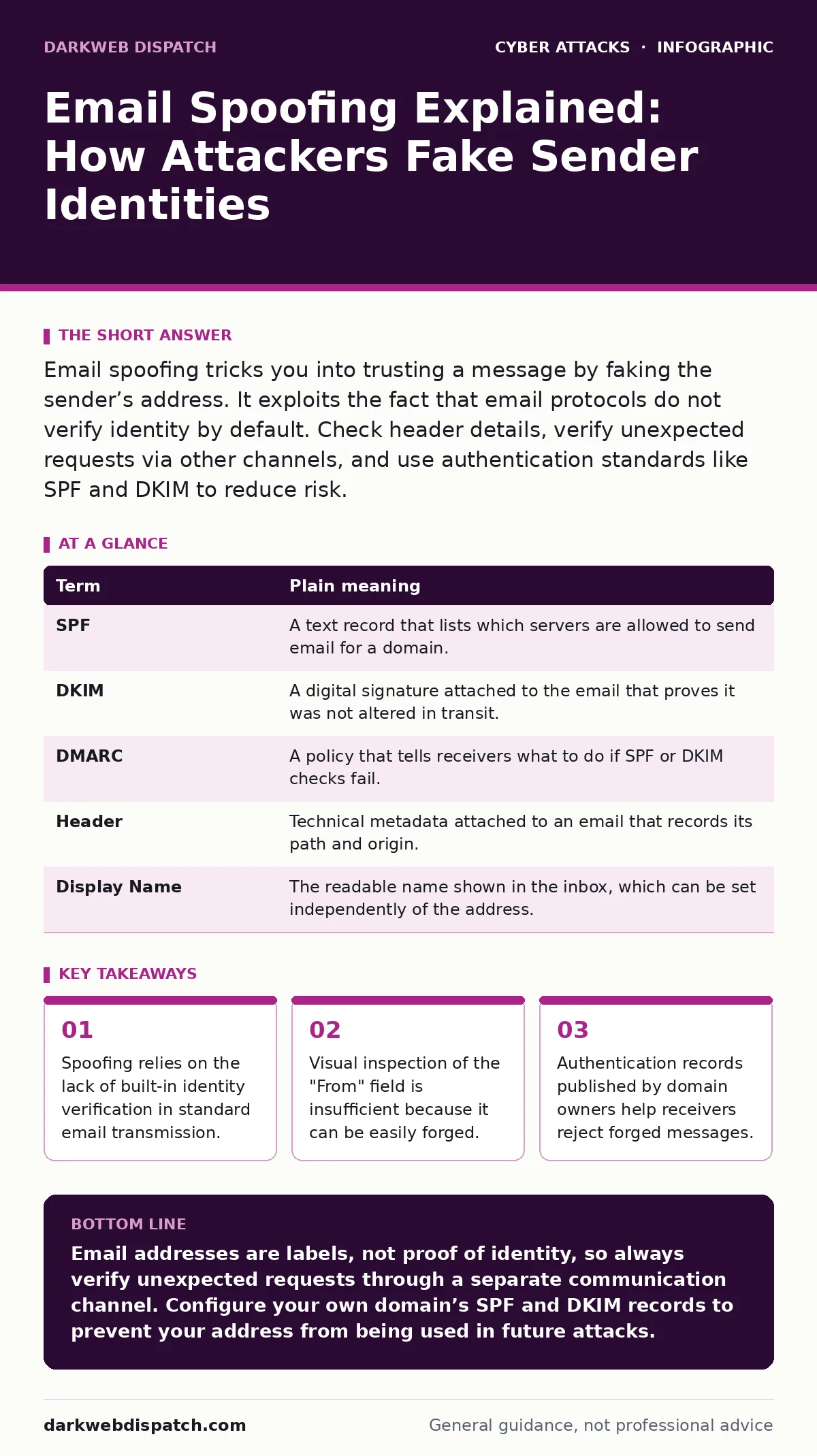
Email spoofing tricks you into trusting a message by faking the sender’s address. It exploits the fact that email protocols do not verify identity by default. Check header details, verify unexpected requests via other channels, and use authentication standards like SPF and DKIM to reduce risk.
The Envelope and the Letter
Imagine you receive a letter in the post. The envelope bears the letterhead of your bank, complete with its logo and familiar font. You tear it open and read a request to update your details. The content looks genuine. The problem is that anyone can buy a printer and paper. The envelope tells you who claims to be sending the message, but it proves nothing about the actual origin.
Email works on this same principle. The "From" address is merely a label printed on the digital envelope. It does not cryptographically bind the sender to the message. An attacker can type any address into the sender field. Your inbox displays what they typed, not who actually sent the data. This disconnect is the foundation of email spoofing.
How the Mechanism Works
When you send an email, your client software fills in headers. One header, the From field, is user-editable. The transport system, which moves the message between servers, generally trusts this field unless specific checks are in place. This design choice prioritises flexibility over security. It allows for aliases and display names, but it also allows for deception.
Attackers exploit this by crafting messages that appear to come from your boss, a known vendor, or a public service. They do not need to hack the real sender’s account. They simply construct a new message with a fake header. To the naked eye, the message looks identical to a legitimate one. The deception relies entirely on your assumption that the label is trustworthy.
Key Terms Defined
Understanding the technical safeguards requires knowing the language. These standards attempt to fix the envelope problem.
| Term | Plain meaning |
|---|---|
| SPF | A text record that lists which servers are allowed to send email for a domain. |
| DKIM | A digital signature attached to the email that proves it was not altered in transit. |
| DMARC | A policy that tells receivers what to do if SPF or DKIM checks fail. |
| Header | Technical metadata attached to an email that records its path and origin. |
| Display Name | The readable name shown in the inbox, which can be set independently of the address. |
What This Means for You
For an ordinary user, the risk is subtle. You are not targeted because your computer is vulnerable, but because you are human. Attackers know you are busy. They know you want to be helpful. A spoofed email from "IT Support" asking for your password to "fix an issue" exploits your desire to comply.
The danger is compounded by the fact that modern email clients hide technical details. You see the name and the subject line. You rarely see the raw headers. This creates a false sense of security. You assume that if it is in your inbox, it is from who it says it is. This assumption is the vulnerability.
The Limits of Technical Fixes
Organisations use SPF, DKIM, and DMARC to combat spoofing. These are open standards that add layers of verification. SPF checks if the server sending the email is authorised. DKIM checks if the message was tampered with. DMARC instructs the receiver on how to handle failures.
However, these measures are not foolproof. They depend on the domain owner configuring them correctly. Many small businesses and individuals do not set up these records. Furthermore, some attackers use compromised legitimate accounts, which bypass these checks entirely because the email truly comes from an authorised server. This is why technical controls must be paired with user awareness. It is similar to how secure email gateways filter traffic at the network edge, but they cannot catch every social engineering attempt.
See also: Secure Email Gateways Explained: How the Post Office Analogy Works · Intrusion Detection Mistakes That Blind Your Network
Practical Safety Habits
You can reduce your exposure by changing how you interact with unexpected messages. Do not rely on the display name or the address alone. Look for context clues. Does the request make sense? Is it urgent? Legitimate organisations rarely demand immediate action via email without prior notice.
Verify through a separate channel. If an email asks for sensitive data, call the sender using a known phone number. Do not use the contact details in the email itself. This breaks the chain of deception. It forces the attacker to maintain the lie in real-time, which is difficult.
Try This Now
- Hover over the sender’s name in your email client. Check if the underlying email address matches the display name. Look for slight misspellings or extra characters.
- Open the full headers of a suspicious message. Look for the
Receivedheaders to see the path the email took. Compare the final sending server with the claimed domain. - Enable multi-factor authentication on your own accounts. This prevents attackers from using your account to send spoofed messages to your contacts.
The Bigger Picture
Email spoofing is often the first step in a larger attack. Once trust is established, the attacker may introduce malware or steal credentials. This can lead to man-in-the-middle attacks where they intercept future communications. Understanding the initial deception helps you recognise the pattern.
Just as evil twin Wi-Fi attacks mimic legitimate networks to capture data, email spoofing mimics trusted identities. The mechanism differs, but the goal is the same: to bypass your natural defences. Recognising that labels can be faked is the first step in protecting yourself.
Key takeaways
- Spoofing relies on the lack of built-in identity verification in standard email transmission.
- Visual inspection of the "From" field is insufficient because it can be easily forged.
- Authentication records published by domain owners help receivers reject forged messages.
Email addresses are labels, not proof of identity, so always verify unexpected requests through a separate communication channel. Configure your own domain’s SPF and DKIM records to prevent your address from being used in future attacks.
Frequently asked questions
Can I spoof an email address myself?
Technically yes, but most modern email providers block outgoing mail that fails authentication checks. Sending from a personal account with forged headers will likely result in the email being rejected or marked as spam by the recipient’s server.
Does using a secure email provider stop spoofing?
It helps by implementing strict DMARC policies, but it does not eliminate the risk. Attackers can still spoof addresses that do not have these protections, or they can compromise legitimate accounts within the provider’s ecosystem.
Why don't email clients hide the real sender?
Email protocols are decentralised and legacy-based. There is no single authority to enforce identity verification. While standards like DMARC are improving, universal adoption is incomplete, and users must remain cautious.
Is checking the URL in the email enough?
No. Attackers can host phishing pages on domains that look similar to legitimate ones. Always type the website address manually into your browser rather than clicking links in unexpected emails.
How this guide was produced: written by the DarkWeb Dispatch editorial team with AI assistance, checked against the public references listed below, and reviewed when the facts change. See our editorial policy or report an error.