Malvertising Explained: How Ads Infect Your Device Without Clicks
Malvertising bypasses your caution by embedding malicious code in the supply chain of legitimate websites, meaning you can be infected simply by viewing a trusted news page.

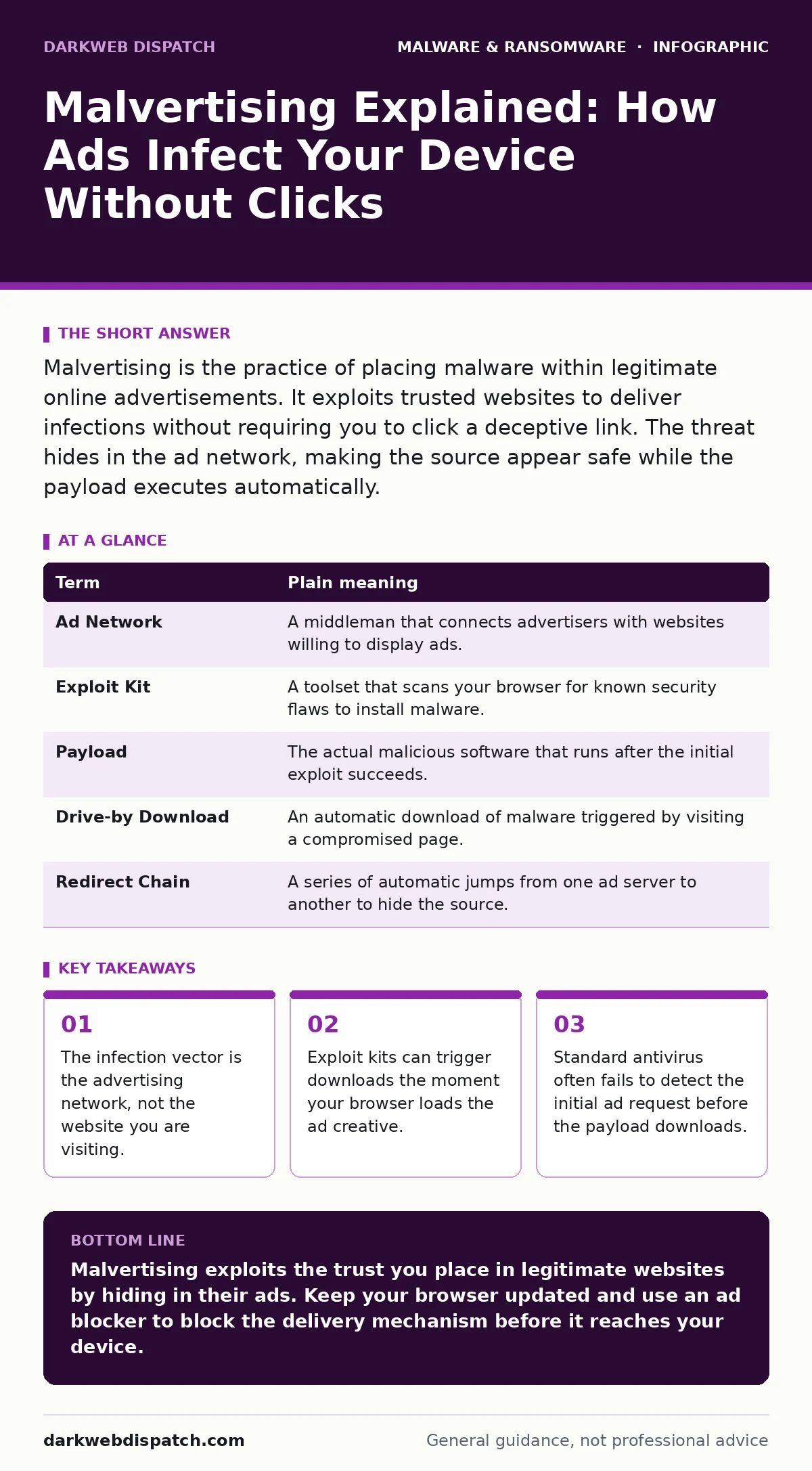
Malvertising is the practice of placing malware within legitimate online advertisements. It exploits trusted websites to deliver infections without requiring you to click a deceptive link. The threat hides in the ad network, making the source appear safe while the payload executes automatically.
The Poisoned Delivery Van
Imagine you order groceries from a reputable supermarket chain. You trust the brand because you have shopped there for years. The delivery van arrives with the correct logo and uniform. However, the driver has slipped a package of harmful substances into your fruit basket. You did not seek out the harmful substances. You did not even meet the driver. The breach of trust happened because the delivery vehicle itself was compromised, not because you opened your door to a stranger.
This is how malvertising operates. The term combines "malware" and "advertising." It refers to the practice of inserting malicious code into legitimate digital advertising networks. These networks serve ads on thousands of reputable websites. You see the ad on a news site you read daily. The site is safe. The ad network is licensed. The mechanism of delivery is clean. The payload inside the ad is not.
Anatomy of the Supply Chain Attack
Digital advertising relies on a complex chain of intermediaries. An advertiser buys space from a network. The network serves the ad on a publisher’s website. Your browser requests the ad from the network. In a standard scenario, this request returns a harmless image or video. In a malvertising campaign, the request returns a script designed to exploit your browser.
The attacker does not need to hack the news website. They only need to compromise the advertising platform. This creates a massive attack surface with minimal effort. One compromised ad slot can distribute malware to millions of users across hundreds of different domains. The trust you place in the website is irrelevant. The vector is the third-party script loaded in the background.
| Term | Plain meaning |
|---|---|
| Ad Network | A middleman that connects advertisers with websites willing to display ads. |
| Exploit Kit | A toolset that scans your browser for known security flaws to install malware. |
| Payload | The actual malicious software that runs after the initial exploit succeeds. |
| Drive-by Download | An automatic download of malware triggered by visiting a compromised page. |
| Redirect Chain | A series of automatic jumps from one ad server to another to hide the source. |
The Click Does Not Matter
Most security advice focuses on not clicking suspicious links. Malvertising renders this advice insufficient. You do not need to click the ad to be at risk. Modern exploit kits use techniques like "drive-by downloads." These scripts run as soon as the ad loads in your browser. They check for vulnerabilities in your operating system or browser engine. If a vulnerability exists, the kit executes the payload immediately.
Suppose you are reading a sports article. An ad for a generic insurance company loads in the sidebar. You do not look at it. The ad contains a script that checks for an unpatched flaw in your video decoder. If the flaw is present, the script downloads a trojan. You never interacted with the ad. Your caution was bypassed by the mere act of rendering the page. This is why the threat feels invisible. It exploits the technical architecture of the web, not human error.
Hidden Costs of the Model
The economic model of free content encourages this risk. Publishers rely on ad revenue. To maximize income, they allow third-party scripts from multiple networks. This fragmentation makes monitoring difficult. A publisher cannot vet every ad impression in real time. An attacker can bid for ad space legitimately. The ad platform accepts the bid. The malicious creative is approved. The damage occurs before the publisher realizes the ad was harmful.
This creates a non-obvious consequence for privacy-focused users. Ad blockers do more than stop annoyances. They cut the connection to these third-party servers. By blocking the request, you prevent the exploit kit from ever reaching your browser. This is a defensive measure with a tangible security benefit, not just a cosmetic one.
Simple Safety Habits
You cannot inspect every ad for code. You must rely on system-level defences. The most effective habit is keeping your browser and operating system current. Developers release patches to close the vulnerabilities that exploit kits target. If you run the latest version, the script finds no door to enter.
Use a reputable browser that supports strict security standards. These browsers isolate web content in separate processes. If one tab is infected, the damage is contained. This prevents the malware from accessing files in other tabs or your main system drive.
Try This Now
- Update your browser to the latest stable release. This closes the known entry points used by exploit kits.
- Install a reputable ad blocker extension. This stops the malicious ad code from loading in the first place.
- Review your installed extensions. Remove any toolbars or helper apps you do not recognise. These can inject their own ads.
What This Means for You
Malvertising shifts the responsibility from user behaviour to system hygiene. You cannot train your way out of a supply chain attack. You must harden your device. This involves regular updates and strict software controls. Consider implementing software restriction policies on work devices. These rules limit which programs can run, blocking unauthorized executables.
For home users, device hardening is the key concept. This means reducing the number of ways software can interact with your system. Limit permissions. Use standard user accounts instead of administrator accounts. This ensures that even if a payload downloads, it has limited ability to install itself.
This threat is distinct from ransomware-as-a-service, where criminals rent out encryption tools. Malvertising is a distribution method. It can deliver ransomware, but it can also deliver crypto-stealing malware or infostealers. The outcome varies, but the entry point is the same. Understanding this helps you appreciate why attack surface reduction rules are valuable. They block the execution of files from unexpected locations, such as the temporary folders where ads are stored.
If you suspect an infection, the process for removing malware from a Mac or Windows involves similar principles: boot into safe mode, scan with offline tools, and reset browser settings. The goal is to remove the payload and close the door it used.
Key takeaways
- The infection vector is the advertising network, not the website you are visiting.
- Exploit kits can trigger downloads the moment your browser loads the ad creative.
- Standard antivirus often fails to detect the initial ad request before the payload downloads.
Malvertising exploits the trust you place in legitimate websites by hiding in their ads. Keep your browser updated and use an ad blocker to block the delivery mechanism before it reaches your device.
Frequently asked questions
Can a virus spread just by looking at an ad?
Yes, if your browser has unpatched vulnerabilities. The ad code executes automatically upon loading, allowing a drive-by download without any click.
Do ad blockers protect against malvertising?
Yes, they prevent the malicious ad scripts from loading. By blocking the request to the ad network, the exploit kit never reaches your browser.
Is my phone safe from malvertising?
Mobile browsers are also targets. Keep your mobile OS and browser apps updated. Use mobile ad blockers to reduce exposure to malicious creatives.
Why don’t antivirus programs catch this?
Antivirus scans files on your disk. Malvertising often runs scripts in memory or exploits browser flaws before saving a file, bypassing traditional signature detection.
How this guide was produced: written by the DarkWeb Dispatch editorial team with AI assistance, checked against the public references listed below, and reviewed when the facts change. See our editorial policy or report an error.