Traffic Light Protocol: What Small Businesses Need to Know
The Traffic Light Protocol standardises information sharing permissions, preventing legal exposure when you exchange threat data with external partners or security vendors.

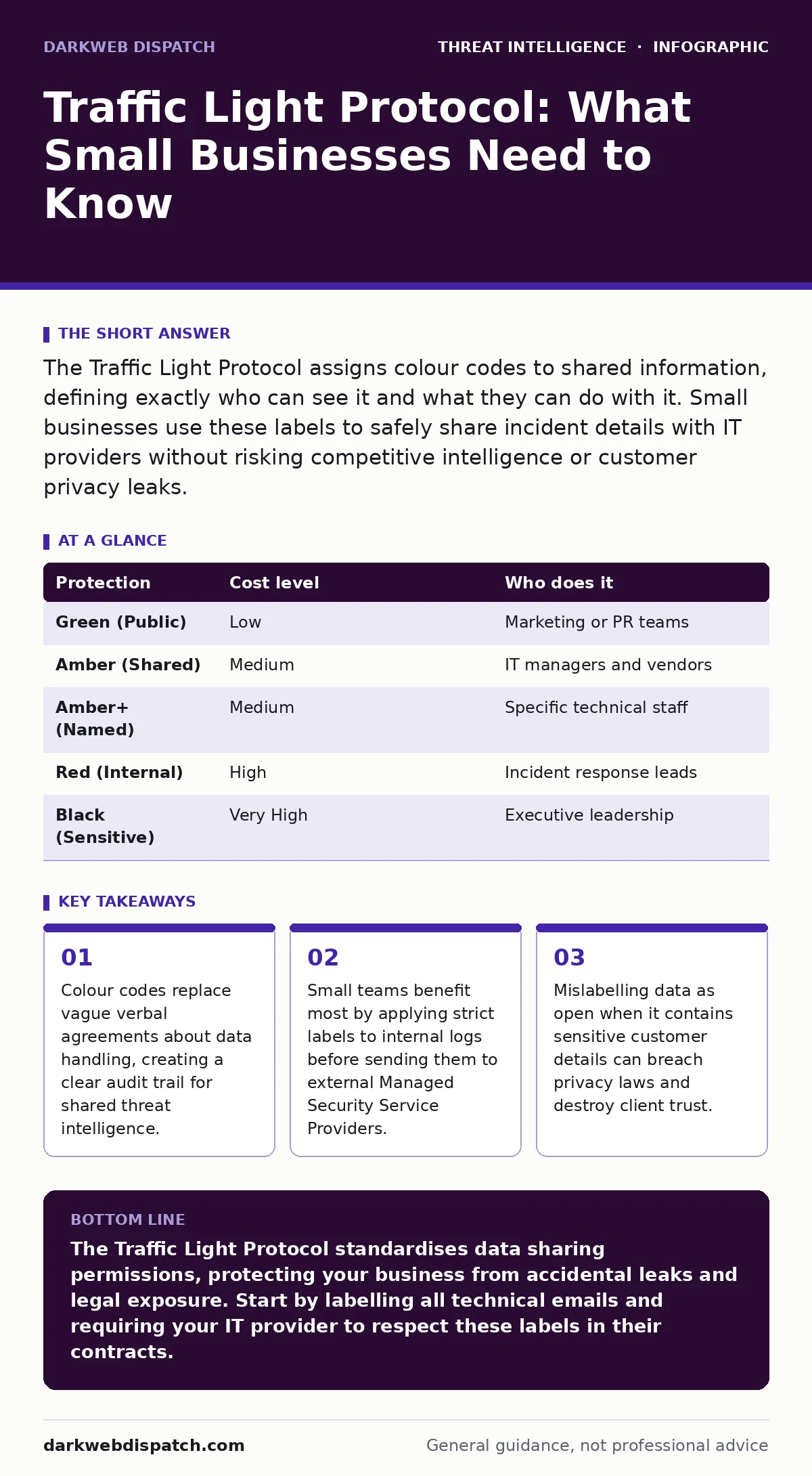
The Traffic Light Protocol assigns colour codes to shared information, defining exactly who can see it and what they can do with it. Small businesses use these labels to safely share incident details with IT providers without risking competitive intelligence or customer privacy leaks.
Why Information Handling Matters at Small Scale
Small businesses often lack dedicated legal or compliance teams to draft complex non-disclosure agreements for every technical interaction. You rely on external IT providers, cloud vendors and security analysts to protect your infrastructure. This dependency creates a blind spot in information governance. When you share technical details about a breach or a vulnerability, you are not just sharing technical facts. You are sharing operational secrets that reveal your security posture.
The Traffic Light Protocol provides a standardised shorthand for these exchanges. It removes the ambiguity of "please keep this confidential" by assigning specific permissions to each piece of data. This matters because a single misunderstood instruction can lead to data leakage. You need a mechanism that works instantly, without legal review, for every email, ticket or report.
Understanding the Core Colour Codes
The protocol uses five colour codes to define distribution limits. You must understand the difference between internal use and controlled sharing. Green means the information is public and can be shared with anyone. Amber indicates that the information can be shared with specific people or groups, but not publicly. This is the most common setting for business-to-business technical discussions.
Amber+ restricts sharing to the specific individuals named in the communication. You cannot forward this information to colleagues who were not explicitly included. Red means the information must not be shared outside the original recipient. It stays within the immediate conversation. Black is the strictest level, used for highly sensitive data that should not even be recorded or discussed openly.
| Protection | Cost level | Who does it |
|---|---|---|
| Green (Public) | Low | Marketing or PR teams |
| Amber (Shared) | Medium | IT managers and vendors |
| Amber+ (Named) | Medium | Specific technical staff |
| Red (Internal) | High | Incident response leads |
| Black (Sensitive) | Very High | Executive leadership |
Applying Labels to Technical Data
You apply these labels to emails, incident reports and support tickets. The label must appear at the top of the document or in the subject line. This ensures that anyone who receives the information sees the restriction before reading the content. A common mistake is labelling the email body but not the attachments. You must label every file you send.
When you send server logs to an IT provider, you should use Amber+ if the logs contain customer names or financial data. You restrict the view to the specific analyst assigned to your case. If you send generic error messages that do not identify users, Amber is sufficient. This allows the provider to share the technical pattern with their wider team to improve their detection capabilities.
The Hidden Cost of Mislabelling
Mislabelling data carries a hidden cost that extends beyond immediate embarrassment. If you label sensitive data as Green, you waive your right to control its distribution. The recipient can legally share it with anyone, including competitors or media outlets. This can reveal your security weaknesses to attackers who monitor public forums.
Conversely, over-classifying data as Black creates operational friction. Your IT provider may refuse to process the data if they cannot share it with their internal experts. This delays incident response and increases the window of exposure. You must balance security with operational efficiency. The goal is to share enough information to solve the problem while retaining control over sensitive details.
What to Ask Your IT Provider
You need to verify that your IT provider understands and respects the Traffic Light Protocol. Do not assume they will apply your labels correctly. Ask specific questions about their data handling procedures. This ensures that your information remains protected while they perform their work.
- Do you enforce TLP labels on all client communications and reports?
- How do you handle data that is mislabelled by the client?
- Can you provide examples of how you separate client data from other clients?
- Do your analysts have access to data from other clients with similar issues?
- How do you dispose of shared data after the incident is resolved?
See also: ISO 27001 for Small Teams: Practical Steps and Hidden Costs · Zero-Day Vulnerabilities: Risks and Protection for Small Businesses
Integrating with Threat Intelligence Sources
You often receive threat intelligence from external sources. These sources may use their own labelling standards. You must map their labels to your internal requirements before using the data. For instance, if you subscribe to threat intelligence reports, check whether the publisher uses TLP. If they do not, you must treat the data as Amber by default, assuming it is not public.
Some providers use ISACs or Information Sharing and Analysis Centres to distribute alerts. These groups often use TLP to protect member privacy. When you receive an alert from such a group, respect the label. Do not forward a Red alert to your entire staff. Share it only with the technical team responsible for mitigation. This maintains your standing within the community and ensures you continue to receive high-quality data.
Practical Steps for Implementation
Implementing the Traffic Light Protocol requires a simple change in your communication habits. Start by adding the label to all outgoing technical emails. Train your staff to recognise the colours and their meanings. Make it a standard part of your incident response plan.
When you engage with a new IT provider, include TLP compliance in your contract. Specify that they must adhere to your labelling instructions. This creates a legal basis for enforcing data protection. Review your existing processes for sharing logs and reports. Identify any areas where data is shared without clear permissions. Update these processes to include mandatory labelling.
Balancing Security and Collaboration
The ultimate goal is to balance security with effective collaboration. You need to share information to protect your business, but you must control how that information is used. The Traffic Light Protocol provides a flexible framework for this balance. It allows you to be open with trusted partners while keeping sensitive data secure.
By adopting this standard, you demonstrate professionalism and respect for privacy. You build trust with your clients and partners. You reduce the risk of accidental data leakage. This small change in communication style can have a significant impact on your overall security posture. It ensures that your information works for you, not against you.
Key takeaways
- Colour codes replace vague verbal agreements about data handling, creating a clear audit trail for shared threat intelligence.
- Small teams benefit most by applying strict labels to internal logs before sending them to external Managed Security Service Providers.
- Mislabelling data as open when it contains sensitive customer details can breach privacy laws and destroy client trust.
The Traffic Light Protocol standardises data sharing permissions, protecting your business from accidental leaks and legal exposure. Start by labelling all technical emails and requiring your IT provider to respect these labels in their contracts.
Frequently asked questions
Does the Traffic Light Protocol have legal standing?
The protocol itself is a voluntary standard, not a law. However, when included in contracts or service level agreements, it becomes a binding contractual obligation that courts can enforce.
Can I change a TLP label after sending information?
You cannot retroactively change the permissions of data already shared. You must notify the recipient of the new restriction and request they delete or restrict further sharing of the previously sent data.
What if my IT provider does not use TLP?
You must explicitly state your data handling requirements in writing. Use clear language such as "Confidential: Do not share with third parties" and include this in your service agreement to create a binding constraint.
How does TLP relate to GDPR or privacy laws?
TLP helps you comply with privacy laws by ensuring that personal data is not shared beyond the necessary recipients. It provides a clear audit trail of who received sensitive information and under what conditions.
How this guide was produced: written by the DarkWeb Dispatch editorial team with AI assistance, checked against the public references listed below, and reviewed when the facts change. See our editorial policy or report an error.