Zero-Day Vulnerabilities: Risks and Protection for Small Businesses
Small firms face disproportionate risk from zero-days because they lack the specialised teams that large enterprises use to manage unpatched software flaws.

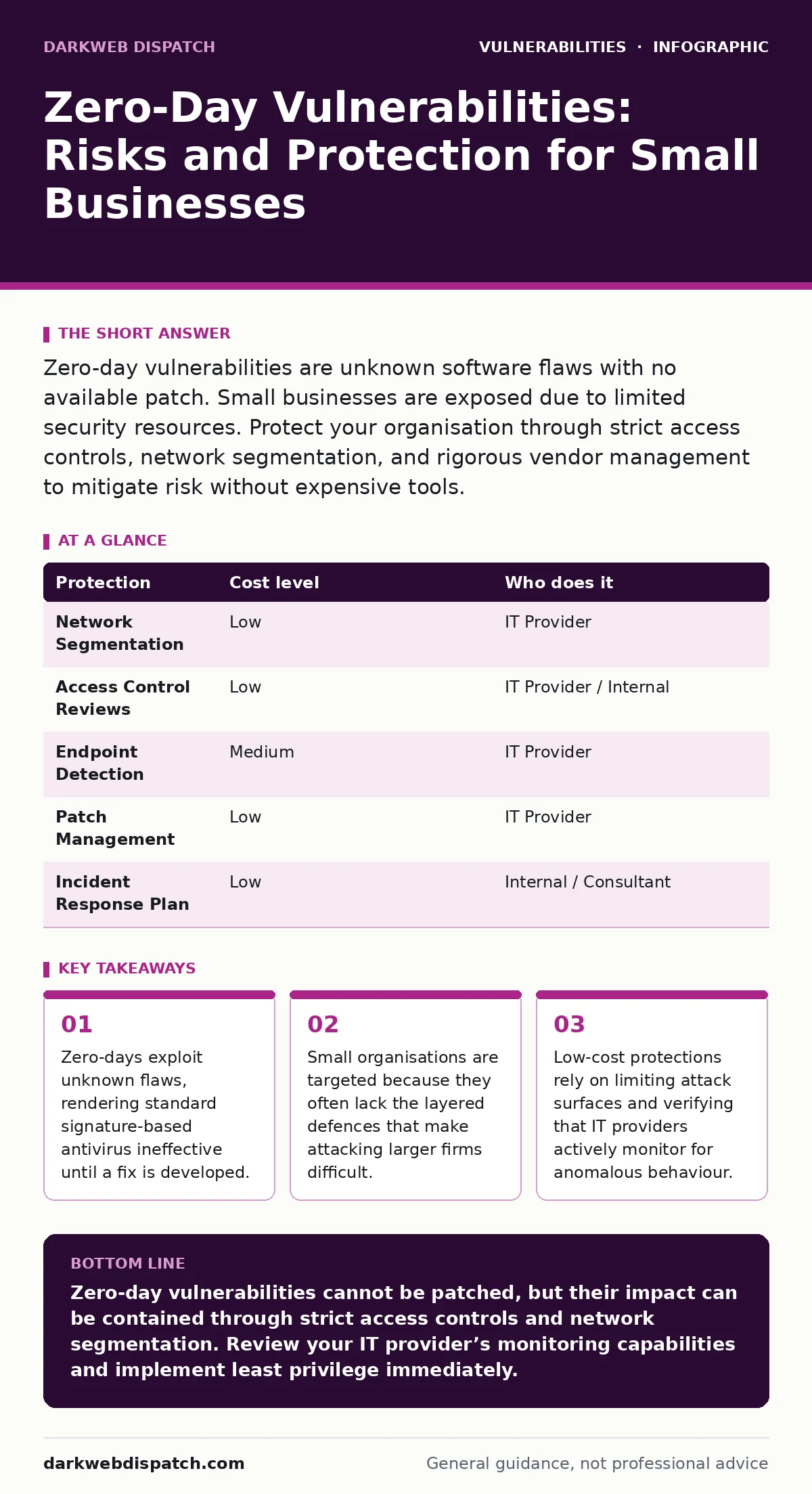
Zero-day vulnerabilities are unknown software flaws with no available patch. Small businesses are exposed due to limited security resources. Protect your organisation through strict access controls, network segmentation, and rigorous vendor management to mitigate risk without expensive tools.
The Anatomy of an Unknown Flaw
A zero-day vulnerability exists in software code before the vendor knows it is there. Because the flaw is unknown, no signature or rule exists to detect it. Standard antivirus software relies on a database of known bad patterns. When a new, unrecognised exploit runs, the antivirus sees nothing wrong. This gap between the exploit’s discovery and the vendor’s patch release is the window of exposure.
The term "zero-day" refers to the number of days the public or vendor has had to fix the issue. In reality, this window can last weeks or months. During this time, attackers can deploy the exploit freely. Defending against such threats requires a shift in mindset. You cannot patch what you do not know exists. Instead, you must assume that any software running on your network could be compromised at any moment. This approach is known as assuming breach. It forces you to design systems that limit damage rather than just trying to keep attackers out.
Why Small Organisations Are Exposed
Large enterprises invest heavily in specialised security operations centres. They have teams dedicated to monitoring network traffic for subtle anomalies. Small businesses rarely have this luxury. You likely rely on generalist IT staff or an external provider who manages multiple clients. This creates a blind spot. A subtle change in network behaviour might go unnoticed for days.
Attackers often target small organisations precisely because they are easier to breach. The return on investment for the attacker is high. Once inside a small firm, they can use it as a stepping stone to larger partners in the supply chain. This secondary effect makes small firms valuable targets even if their own data is not highly sensitive. Furthermore, small firms often lack the budget for advanced endpoint detection and response tools. These tools use behavioural analysis to spot suspicious activity, regardless of whether the specific exploit is known. Without them, you are relying purely on perimeter defences, which zero-days bypass easily.
The Hidden Cost of Trust
Many small businesses trust their software vendors to fix issues quickly. This trust is misplaced in the context of zero-days. Vendors prioritise patches based on the severity and prevalence of the flaw. If a vulnerability affects a niche piece of software, the patch may take longer to arrive. Meanwhile, you remain exposed.
Consider the risk of firmware vulnerabilities. Firmware is the low-level software that controls hardware devices. If a flaw exists in the firmware of a router or printer, standard OS updates do not fix it. You are dependent on the hardware manufacturer releasing a specific update. If they do not, the device remains a permanent entry point. This highlights a hidden cost: you are not just securing your operating system, but every piece of hardware connected to your network. Each device is a potential door for an attacker using a zero-day exploit.
Low-Cost Protections That Work
You do not need expensive hardware to mitigate zero-day risks. The most effective defences are procedural and architectural. Network segmentation is one of the cheapest and most powerful tools. By dividing your network into smaller zones, you limit how far an attacker can move. If a workstation is compromised, the attacker cannot easily reach the server holding your financial records.
Strict access controls are equally vital. Implement the principle of least privilege. Users should only have access to the files and systems they need to do their job. If a user’s account is compromised via a zero-day in their email client, the attacker inherits only that user’s limited permissions. This containment prevents the breach from escalating.
Regular audits of connected devices are also necessary. Unnecessary devices increase your attack surface. An old printer or an unused server should be disconnected. Each connected device is a potential vector for IoT device vulnerabilities. These devices often run outdated software with known flaws, and sometimes unknown ones. Removing them reduces the number of doors an attacker can try to open.
What to Ask Your IT Provider
Your IT provider is your first line of defence. However, many providers offer basic maintenance without active security management. You must clarify their role. Do not assume they are monitoring for threats. Ask specific questions to determine their capability.
| Protection | Cost level | Who does it |
|---|---|---|
| Network Segmentation | Low | IT Provider |
| Access Control Reviews | Low | IT Provider / Internal |
| Endpoint Detection | Medium | IT Provider |
| Patch Management | Low | IT Provider |
| Incident Response Plan | Low | Internal / Consultant |
Use this table to evaluate your current setup. If your provider cannot explain how they segment your network, you are at risk.
- How do you monitor for anomalous network behaviour, not just known viruses?
- What is your process for applying out-of-band patches when a critical zero-day is disclosed?
- Do you perform regular access reviews to ensure users only have necessary permissions?
- How do you handle input validation for web applications to prevent injection attacks?
- What is your incident response plan if a zero-day breach is detected?
These questions force your provider to demonstrate active security management. If they struggle to answer, consider finding a partner who specialises in security, not just IT support.
See also: ISO 27001 for Small Teams: Practical Steps and Hidden Costs · Traffic Light Protocol: What Small Businesses Need to Know
The Role of Application Security
Zero-days often exploit flaws in how applications handle data. Input validation is the practice of checking that all user input meets expected criteria. If an application does not validate input correctly, attackers can inject malicious code. This is a common source of vulnerabilities.
While you may not develop your own software, the applications you use must follow these principles. When selecting software, ask vendors about their security testing processes. Do they perform code reviews? Do they use automated testing for use-after-free vulnerabilities? These are memory management errors that can allow attackers to execute arbitrary code. Understanding the security posture of your software vendors is part of your own defence.
Building a Resilient Culture
Technology alone cannot stop zero-days. Human behaviour plays a significant role. Phishing emails are often the delivery mechanism for exploits. Even if the exploit is unknown, the initial click is often triggered by social engineering. Training staff to recognise suspicious emails is a low-cost defence.
However, training has limits. Determined attackers craft convincing messages. Therefore, technical controls must back up human vigilance. For example, disabling macro execution in documents by default prevents many exploits from running. This is a simple setting that blocks a common attack vector. It is a small change that significantly reduces risk.
Managing Unavoidable Risk
You cannot eliminate the risk of zero-day vulnerabilities. New flaws are discovered every day. Your goal is to reduce the impact. By segmenting your network, limiting access, and verifying your provider’s practices, you create a environment where a breach is less likely to succeed.
Regularly review your security posture. Technology changes, and so do threats. What worked last year may not work today. Stay informed about new vulnerabilities in the software you use. Subscribe to security advisories from your vendors. This proactive approach helps you prepare for potential exposures.
Key takeaways
- Zero-days exploit unknown flaws, rendering standard signature-based antivirus ineffective until a fix is developed.
- Small organisations are targeted because they often lack the layered defences that make attacking larger firms difficult.
- Low-cost protections rely on limiting attack surfaces and verifying that IT providers actively monitor for anomalous behaviour.
Zero-day vulnerabilities cannot be patched, but their impact can be contained through strict access controls and network segmentation. Review your IT provider’s monitoring capabilities and implement least privilege immediately.
Frequently asked questions
Can antivirus software detect zero-day exploits?
Traditional antivirus cannot detect zero-days because it relies on known signatures. However, next-generation antivirus with behavioural analysis may detect suspicious activity indicative of an exploit.
How long does a zero-day vulnerability remain unpatched?
The duration varies widely. Some are patched within days, while others remain unpatched for months or even years, depending on the software’s complexity and the vendor’s resources.
Is network segmentation expensive for small businesses?
Not necessarily. Basic network segmentation can often be achieved by configuring existing routers and switches to create separate virtual local area networks, which is a low-cost measure.
What is the principle of least privilege?
It is a security concept where users are granted only the minimum access rights necessary to perform their job functions, limiting the potential damage if their account is compromised.
How this guide was produced: written by the DarkWeb Dispatch editorial team with AI assistance, checked against the public references listed below, and reviewed when the facts change. See our editorial policy or report an error.