Input Validation Mistakes That Break Your Security Controls
Treating input sanitisation as a display issue rather than a logic constraint allows attackers to rewrite your application’s internal rules from the outside in.

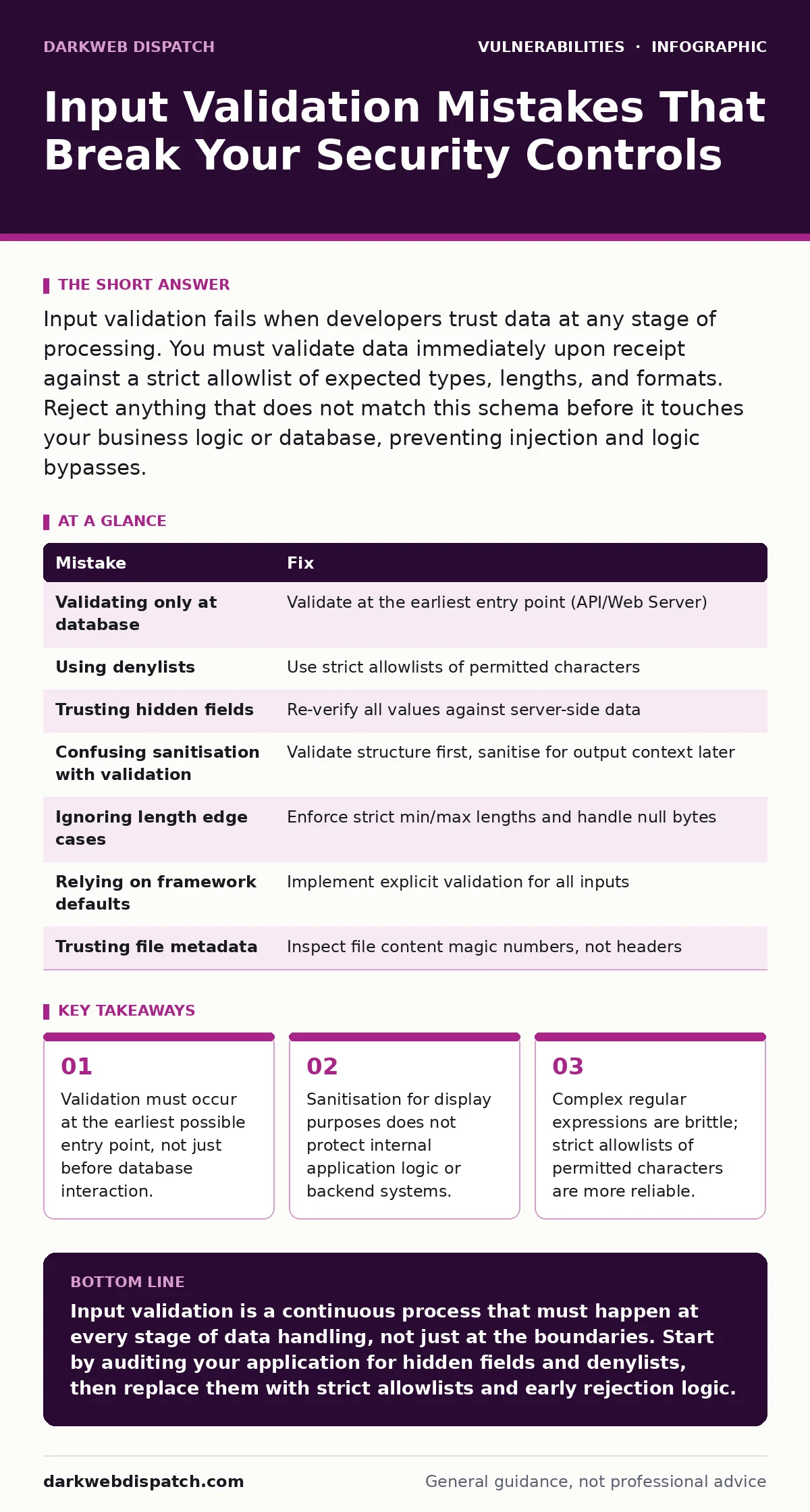
Input validation fails when developers trust data at any stage of processing. You must validate data immediately upon receipt against a strict allowlist of expected types, lengths, and formats. Reject anything that does not match this schema before it touches your business logic or database, preventing injection and logic bypasses.
Input validation is the process of checking that data submitted by a user matches expected patterns before your system processes it. When this step fails, the application accepts malformed data that can alter its behaviour. This is not merely a data quality issue. It is a primary vector for remote code execution and data theft.
Mistake 1: Validating Only at the Database Layer
Many developers assume that parameterised queries or ORM (Object-Relational Mapping) tools handle security automatically. They validate input only when constructing the database query, ignoring earlier processing stages.
Why it hurts:
Your application likely processes data before it reaches the database. It might calculate totals, check permissions, or route requests. If you do not validate input at the web server or application layer, an attacker can send malformed data that crashes these intermediate components. This can lead to denial of service or bypass logic checks that happen before the database call. The database is the last line of defence, not the first.
The fix:
Implement validation at the highest possible layer, such as the API gateway or web server. Reject invalid data immediately with a generic error message. Do not pass unvalidated data to your business logic, even if you plan to sanitise it later. Treat all incoming data as hostile until it has passed strict checks.
Mistake 2: Using Denylists Instead of Allowlists
A denylist blocks known bad characters, such as single quotes or semicolons. An allowlist permits only known good characters, such as alphanumeric letters for a username field.
Why it hurts:
Attackers constantly find new ways to encode malicious payloads. A denylist cannot anticipate every variation of a SQL injection or script tag. If you block <script> but allow <img>, an attacker may use an image tag with a JavaScript event handler to execute code. Denylists create a false sense of security because they rely on knowing every possible attack vector.
The fix:
Define exactly what characters are valid for each input field. For a numeric ID, allow only digits. For a name, allow letters, spaces, and hyphens. Reject any input containing characters outside this set. This approach is exhaustive and prevents unknown encoding tricks from slipping through. It shifts the burden from blocking evil to permitting good.
Mistake 3: Trusting Hidden Form Fields
Hidden fields in HTML forms store data that the user cannot see, such as product IDs or user roles. Developers often assume these values cannot be tampered with.
Why it hurts:
Anyone can view the source code of a webpage and modify hidden fields before submitting them. An attacker can change a price field from 10 to 1 or elevate a user role from "viewer" to "admin". If your server trusts these values without re-verifying them against your database, the attacker controls your business logic. This is a form of parameter tampering that is easy to exploit.
The fix:
Never trust data sent from the client for security decisions. If a hidden field contains an ID, look up the actual record in your database and verify that the current user has permission to access it. Re-calculate prices and totals on the server side using your own data stores. The client should only provide identifiers, not authoritative values.
Mistake 4: Assuming Sanitisation Equals Validation
Sanitisation removes or escapes dangerous characters to make data safe for display. Validation checks if data conforms to a specific structure. These are different processes.
Why it hurts:
You might escape HTML entities to prevent Cross-Site Scripting (XSS) when rendering a comment. However, if you store that escaped data and later use it in a different context, such as a file name or a database query, the escaping may be ineffective or harmful. For example, escaping a quote for HTML does not protect against SQL injection. Treating sanitisation as a substitute for validation leaves other injection vectors open.
The fix:
Validate input for structure and type first. Sanitise data only when you are certain of the output context. Use context-aware encoding libraries for display. Keep the original, validated data for internal logic and only transform it when sending it to a specific output medium like HTML, JSON, or CSV.
Mistake 5: Ignoring Edge Cases in Length Limits
Developers often set a maximum length for input fields to prevent buffer overflows. However, they frequently forget to consider minimum lengths or null bytes.
Why it hurts:
An empty string or a string with only whitespace might bypass logic that expects a value. Some systems treat a null byte as the end of a string, allowing an attacker to truncate a file path or bypass authentication checks. If you only check for maximum length, an attacker can send a zero-length payload that triggers a division by zero error or a null pointer exception, crashing your service.
The fix:
Define strict minimum and maximum lengths for every input. Reject empty or whitespace-only strings unless they are explicitly allowed. Handle null bytes explicitly by rejecting them or ensuring your system treats them as regular characters. Test your inputs with boundary values, such as the exact maximum length and one character over.
See also: Server-Side Template Injection Explained: How Code Becomes Dangerous · Web Cache Poisoning Response: Containment, Recovery and Prevention
Mistake 6: Relying on Framework Defaults
Modern web frameworks provide default validation and sanitisation. Developers often assume these defaults are sufficient for all use cases.
Why it hurts:
Framework defaults are designed for common scenarios, not your specific business logic. They may allow characters that are safe for a blog post but dangerous for a file upload handler. If you override a default or use a framework feature incorrectly, you may introduce vulnerabilities. Additionally, frameworks evolve, and default behaviours may change in updates, potentially breaking your security assumptions.
The fix:
Audit your framework’s default security settings regularly. Do not assume that a framework handles input validation for custom endpoints. Implement explicit validation for every input field, regardless of whether the framework claims to handle it. Understand the security model of your framework and verify that it aligns with your application’s requirements.
Mistake 7: Failing to Validate File Metadata
When users upload files, developers often check the file extension or the MIME type header. They assume these metadata fields are accurate.
Why it hurts:
An attacker can rename a malicious script to have a .jpg extension or spoof the MIME type header. If your server trusts these metadata fields to determine how to process the file, it may execute the script. This is a common vector for remote code execution. The file content, not the header, determines the actual type and risk.
The fix:
Inspect the actual content of the file to determine its type. Use a library that reads the file’s magic numbers (byte signatures) to verify the format. Reject files that do not match the expected content structure. Store uploaded files in a separate directory with no execution permissions. Rename files to random strings to prevent path traversal attacks.
| Mistake | Fix |
|---|---|
| Validating only at database | Validate at the earliest entry point (API/Web Server) |
| Using denylists | Use strict allowlists of permitted characters |
| Trusting hidden fields | Re-verify all values against server-side data |
| Confusing sanitisation with validation | Validate structure first, sanitise for output context later |
| Ignoring length edge cases | Enforce strict min/max lengths and handle null bytes |
| Relying on framework defaults | Implement explicit validation for all inputs |
| Trusting file metadata | Inspect file content magic numbers, not headers |
Key takeaways
- Validation must occur at the earliest possible entry point, not just before database interaction.
- Sanitisation for display purposes does not protect internal application logic or backend systems.
- Complex regular expressions are brittle; strict allowlists of permitted characters are more reliable.
Input validation is a continuous process that must happen at every stage of data handling, not just at the boundaries. Start by auditing your application for hidden fields and denylists, then replace them with strict allowlists and early rejection logic.
Frequently asked questions
Does HTTPS fix input validation issues?
No, HTTPS only encrypts data in transit. It does not check if the data is valid or malicious before your server processes it.
Should I use regular expressions for validation?
Use them sparingly. Complex regular expressions are hard to maintain and can be bypassed. Simple allowlists are more secure and easier to audit.
Can I validate data after it is stored in the database?
No, validation must happen before storage. Once invalid data is in your database, it can corrupt your system and be difficult to clean.
How do I handle international characters?
Define a strict allowlist that includes Unicode ranges for the languages you support. Reject any characters outside those ranges.
How this guide was produced: written by the DarkWeb Dispatch editorial team with AI assistance, checked against the public references listed below, and reviewed when the facts change. See our editorial policy or report an error.