Intrusion Detection Mistakes That Blind Your Network
Most intrusion detection systems fail not because the technology is flawed, but because administrators misconfigure noise filters and ignore context.

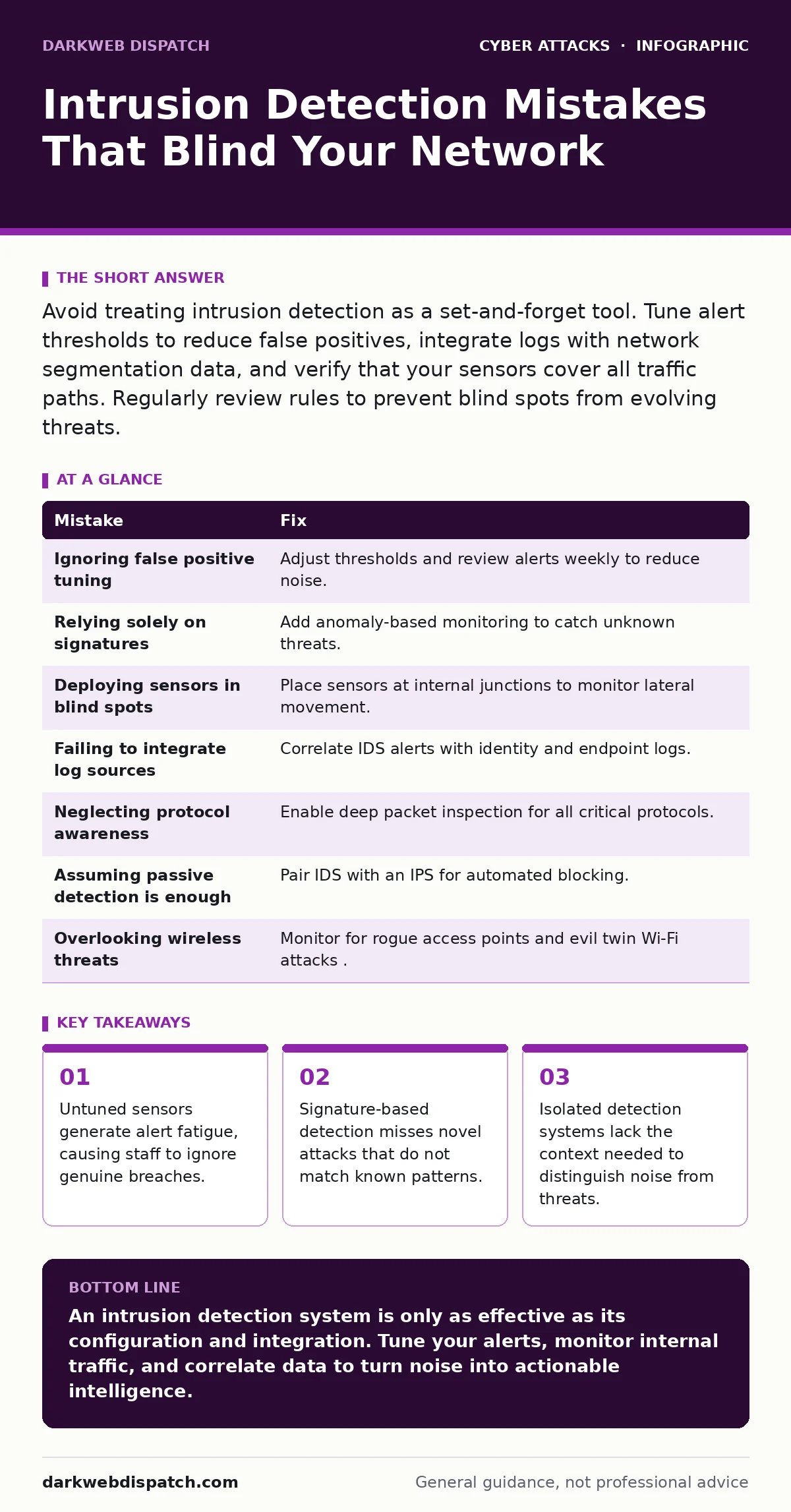
Avoid treating intrusion detection as a set-and-forget tool. Tune alert thresholds to reduce false positives, integrate logs with network segmentation data, and verify that your sensors cover all traffic paths. Regularly review rules to prevent blind spots from evolving threats.
Intrusion detection systems (IDS) monitor network traffic for suspicious activity. They act as digital sentries, flagging anomalies that might indicate a compromise. However, these tools are often misconfigured or misunderstood. A poorly managed IDS becomes a source of noise rather than protection. You must treat detection as a continuous process, not a static installation.
Mistake 1: Ignoring False Positive Tuning
An IDS flags any activity that matches a predefined rule. Without tuning, normal operations trigger constant alerts. This phenomenon is known as alert fatigue. When security teams receive hundreds of irrelevant warnings daily, they begin to ignore the console entirely.
Why it hurts: Real threats hide within the noise. If your team dismisses alerts as routine, a genuine intrusion goes unnoticed. The system becomes a decorative dashboard rather than a functional tool. You lose the ability to react to immediate dangers.
The fix: Start with a baseline of normal traffic. Adjust sensitivity thresholds to filter out routine administrative tasks. Review alerts weekly to refine rules. This requires time, but it ensures that every notification demands attention.
Mistake 2: Relying Solely on Signatures
Signature-based detection compares traffic against a database of known attack patterns. It is effective against established threats but blind to new ones. Zero-day exploits do not have signatures yet. They bypass this layer of defence completely.
Why it hurts: Attackers constantly modify their code to evade signature matches. A polymorphic virus changes its appearance with each infection. Your system sees a unique file and allows it through. You are protected only against yesterday’s threats.
The fix: Combine signature detection with anomaly-based monitoring. Anomaly detection establishes a baseline of normal behaviour and flags deviations. This hybrid approach catches unknown threats that behave strangely, even if their code is new.
Mistake 3: Deploying Sensors in Blind Spots
Many organisations place IDS sensors only at the network perimeter. They assume that internal traffic is safe. This ignores the reality of lateral movement. Once an attacker breaches the perimeter, they move laterally through the network.
Why it hurts: Internal attacks leave no trace at the edge. An infected workstation communicating with a database server generates no perimeter alerts. You remain unaware of the compromise until data is exfiltrated or systems are destroyed.
The fix: Place sensors at critical internal junctions. Monitor traffic between server farms, user workstations, and cloud interfaces. This aligns with the principles of network segmentation, limiting the blast radius of an attack. You gain visibility into internal communications.
Mistake 4: Failing to Integrate Log Sources
An IDS operates in isolation if its alerts are not correlated with other data. It sees suspicious packets but not the user context. Without integration, you lack the full picture of an incident.
Why it hurts: A login attempt from an unusual location might look like an attack. But if you cross-reference with login alerts from your identity provider, you may see it is a legitimate user. Without this context, you may block valid access or miss a compromised account.
The fix: Feed IDS data into a centralised log management system. Correlate network events with endpoint logs and identity records. This creates a unified view of activity. You can distinguish between a malicious actor and a confused user.
Mistake 5: Neglecting Protocol Awareness
Network protocols define how devices communicate. An IDS must understand these protocols to parse traffic correctly. If the system misinterprets a protocol, it cannot detect embedded attacks.
Why it hurts: Attackers often hide malicious payloads within legitimate protocol fields. A malformed DNS query might carry command-and-control data. If your IDS does not deeply inspect DNS traffic, it sees only a standard query. The attack proceeds unnoticed.
The fix: Enable deep packet inspection for all critical protocols. Ensure your sensors are updated to support the latest protocol versions. This ensures that the system can dissect traffic accurately. You catch attacks hidden in plain sight.
See also: Bulletproof Hosting Mistakes: 7 Errors That Expose Your Network · How Autonomous System Numbers Work in Threat Intelligence
Mistake 6: Assuming Passive Detection Is Enough
IDS sensors are passive; they observe but do not block. They alert you to a problem but do not stop it. This delay allows attackers to continue their activity.
Why it hurts: Time is critical during an intrusion. Every second an attacker remains active, they can escalate privileges or steal data. An alert that arrives hours later is often too late to prevent damage.
The fix: Pair your IDS with an intrusion prevention system (IPS). An IPS can automatically block malicious traffic based on IDS alerts. This reduces response time from hours to milliseconds. You stop the attack in progress rather than after the fact.
Mistake 7: Overlooking Wireless Threats
Most IDS deployments focus on wired networks. They ignore wireless access points and Bluetooth connections. This leaves a significant entry point open.
Why it hurts: Attackers can exploit evil twin Wi-Fi attacks to intercept traffic. They create a fake access point that mimics your network. Users connect without suspicion, and their data is captured. Your wired IDS sees nothing unusual.
The fix: Deploy wireless IDS capabilities that monitor for rogue access points. Detect and alert on unauthorised APs in your vicinity. This ensures that wireless traffic is subject to the same scrutiny as wired traffic. You close a major vulnerability.
| Mistake | Fix |
|---|---|
| Ignoring false positive tuning | Adjust thresholds and review alerts weekly to reduce noise. |
| Relying solely on signatures | Add anomaly-based monitoring to catch unknown threats. |
| Deploying sensors in blind spots | Place sensors at internal junctions to monitor lateral movement. |
| Failing to integrate log sources | Correlate IDS alerts with identity and endpoint logs. |
| Neglecting protocol awareness | Enable deep packet inspection for all critical protocols. |
| Assuming passive detection is enough | Pair IDS with an IPS for automated blocking. |
| Overlooking wireless threats | Monitor for rogue access points and evil twin Wi-Fi attacks. |
Key takeaways
- Untuned sensors generate alert fatigue, causing staff to ignore genuine breaches.
- Signature-based detection misses novel attacks that do not match known patterns.
- Isolated detection systems lack the context needed to distinguish noise from threats.
An intrusion detection system is only as effective as its configuration and integration. Tune your alerts, monitor internal traffic, and correlate data to turn noise into actionable intelligence.
Frequently asked questions
Does an IDS protect against phishing?
No, an IDS monitors network traffic, not email content. It cannot detect **email spoofing** or malicious links in messages. Use dedicated email security tools for that purpose.
Can an IDS prevent a SYN flood attack?
An IDS can detect the signs of a **SYN flood attack** by spotting unusual connection requests. However, it cannot stop the traffic volume. You need rate limiting or an IPS to mitigate the impact.
Is cloud-based IDS better than on-premise?
Cloud-based IDS offers easier updates and scalability. On-premise systems provide greater control and data privacy. The best choice depends on your specific security requirements and regulatory constraints.
How often should I update IDS rules?
Update rules as soon as vendors release them. Delaying updates leaves you vulnerable to newly discovered exploits. Automate updates where possible to ensure continuous protection.
How this guide was produced: written by the DarkWeb Dispatch editorial team with AI assistance, checked against the public references listed below, and reviewed when the facts change. See our editorial policy or report an error.