Ransom Notes Explained: Decoding the Message After Encryption
A ransom note is not just a demand for payment but a technical receipt containing the unique identifier required by the attacker to unlock your specific data.

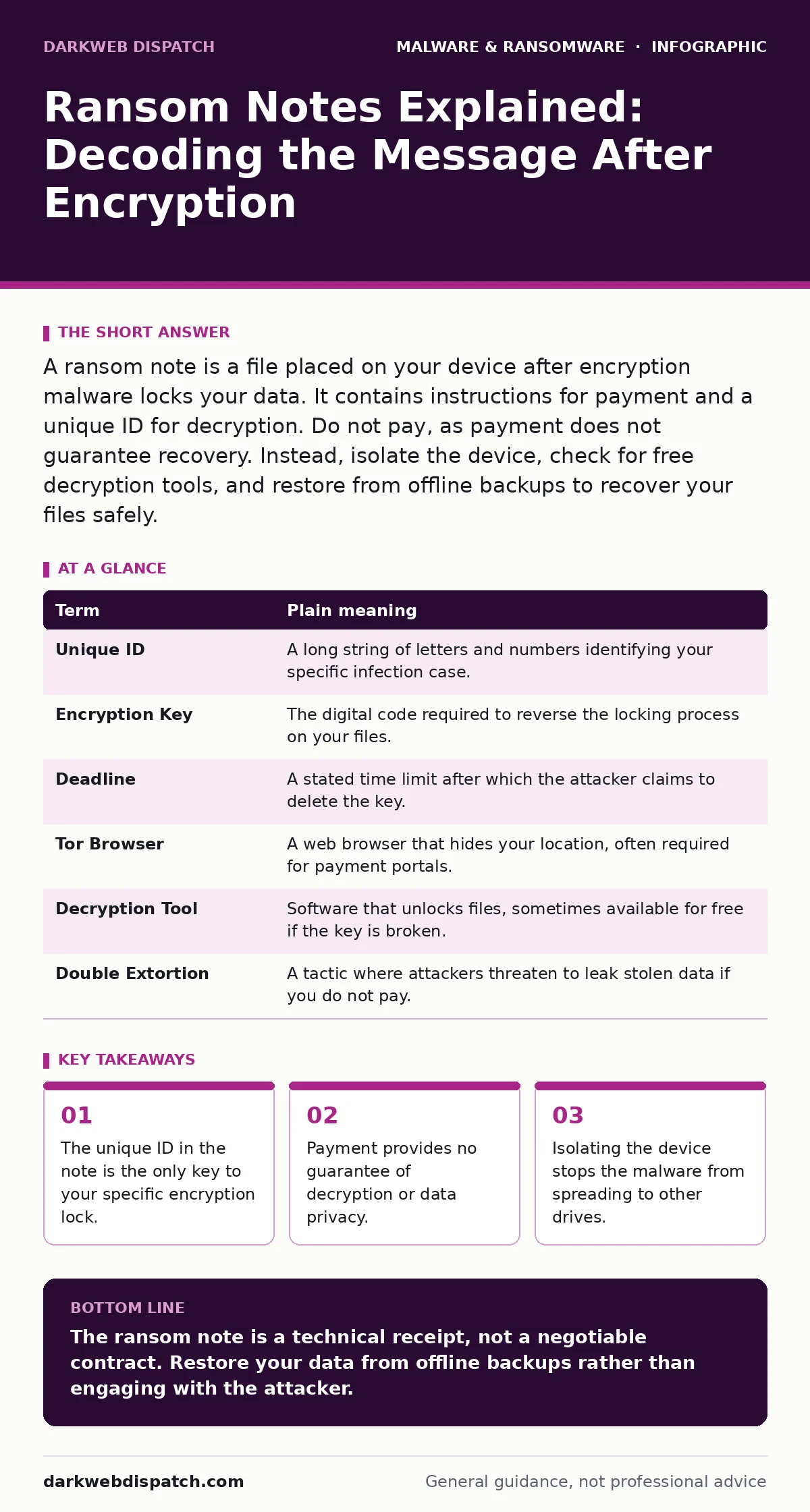
A ransom note is a file placed on your device after encryption malware locks your data. It contains instructions for payment and a unique ID for decryption. Do not pay, as payment does not guarantee recovery. Instead, isolate the device, check for free decryption tools, and restore from offline backups to recover your files safely.
The Locked Diary Analogy
Imagine you have a diary containing your most private thoughts. A stranger takes this diary, locks it in a steel box, and keeps the only key. They then slide a note under your door. This note does not ask for friendship. It demands money for the key. The note is the ransom note. The locked box is your encrypted data. The key is the decryption algorithm held by the attacker.
This analogy holds true for digital ransomware. Your files are the diary entries. The encryption turns them into unreadable code, like sealing them in a box. The ransom note is the communication channel. Without the key, the content remains inaccessible. You cannot open the box by guessing. You cannot break the lock without damaging the contents. The attacker controls access entirely through that single note.
Key Terms in the Note
Most ransom notes use technical language to appear professional and intimidating. Understanding these terms helps you remain calm and act logically. The note is usually a text file, PDF, or HTML document placed on your desktop or in every folder. It repeats the same message across your system to ensure you see it.
| Term | Plain meaning |
|---|---|
| Unique ID | A long string of letters and numbers identifying your specific infection case. |
| Encryption Key | The digital code required to reverse the locking process on your files. |
| Deadline | A stated time limit after which the attacker claims to delete the key. |
| Tor Browser | A web browser that hides your location, often required for payment portals. |
| Decryption Tool | Software that unlocks files, sometimes available for free if the key is broken. |
| Double Extortion | A tactic where attackers threaten to leak stolen data if you do not pay. |
Common Points of Confusion
Readers often confuse the ransom note with the malware itself. The note is passive. It contains no executable code. It is merely a document. The malware has already done its work by the time you read the note. Another confusion involves the deadline. Attackers set arbitrary deadlines to create urgency. These timers are often fake. The key exists on their server regardless of the clock.
Some victims believe paying restores the system automatically. This is incorrect. Payment requires manual steps to download and run a decryption utility. Even then, the utility may fail. The malware often damages system files during the encryption process. This damage can prevent the decryption tool from working correctly. You might get your files back but lose your operating system.
The Hidden Cost of Payment
Paying the ransom carries hidden costs beyond the initial demand. First, you fund further criminal operations. This encourages more attacks. Second, you join a list of unreliable customers. Attackers often take the money and send nothing. They have no incentive to help you. Once they have the funds, your case is closed for them.
Third, you lose leverage. If you pay, you signal that you are willing to comply. This makes you a target for repeat attacks. Some ransomware groups keep records of who pays. They may re-infect your network later. This is part of the ransomware-as-a-service model, where criminals rent out malware tools. Paying validates this business model. It makes the service more profitable for the sellers.
Immediate Isolation Steps
When you see a ransom note, time matters. The malware may still be active. It might be spreading to other drives or network shares. Your first goal is containment. Do not restart the computer if possible. Restarting can trigger additional encryption or cleanup routines that destroy evidence.
Suppose you find the note on a laptop. Unplug the Ethernet cable. Turn off Wi-Fi. This cuts the link to the attacker’s command server. It stops the malware from sending stolen data or spreading to other devices on your network. Imagine you are dealing with a physical burglar. You lock the doors to prevent them from entering other rooms. Digital isolation is the same principle.
Try This Now: Recovery Plan
Follow these 3 steps to assess your situation safely. Do not attempt to decrypt files yourself. Use established tools and methods.
- Isolate the device. Disconnect all network cables and disable wireless connections. This prevents lateral movement to backup drives or other computers.
- Document the note. Take a screenshot of the ransom note. Copy the Unique ID and any file extensions changed by the malware. This information helps experts identify the specific variant.
- Check for free tools. Visit reputable malware analysis sites that host decryption utilities. Look for the specific ransomware family name. If a tool exists, follow its instructions carefully. If not, restore from offline backups.
Restoring From Backups
Backups are your best defense. If you have offline backups, you can ignore the ransom note entirely. Format the infected drive. Install a fresh operating system. Restore your files from the backup. This removes the malware and the encrypted files. You start with a clean state.
Device hardening practices make this process smoother. Regular backups, least privilege access, and software restriction policies reduce the risk of successful encryption. If you rely on cloud backups, ensure they are not mounted as network drives during an attack. Many ransomware strains target mounted cloud storage. Unmounting these drives before isolation protects your backup copies.
Understanding the Attack Vector
Ransomware rarely appears alone. It often enters through phishing emails or exploited vulnerabilities. Browser hijackers can redirect you to malicious sites. Spyware can steal credentials used to access shared drives. Endpoint detection and response (EDR) solutions can stop the initial infection. They monitor for unusual behavior like mass file renaming.
Removing malware from a Mac requires similar caution. macOS is not immune to ransomware. The principles of isolation and backup apply equally. Always verify the source of files before opening them. Never disable security features to run unknown programs. This discipline prevents the initial breach that leads to the ransom note.
Final Considerations
The ransom note is a symptom of a deeper failure. It indicates that an attacker gained access to your data. Fixing the symptom does not cure the disease. You must identify how they entered. Was it a weak password? An unpatched application? A lack of user training? Addressing these root causes prevents future notes.
Security is a continuous process. One backup failure or one clicked link can undo years of good practices. Stay proactive. Test your backups regularly. Ensure they are truly offline or immutable. Immutable backups cannot be changed or deleted by anyone, even administrators. This protection ensures you can always recover, regardless of the ransom note.
Key takeaways
- The unique ID in the note is the only key to your specific encryption lock.
- Payment provides no guarantee of decryption or data privacy.
- Isolating the device stops the malware from spreading to other drives.
The ransom note is a technical receipt, not a negotiable contract. Restore your data from offline backups rather than engaging with the attacker.
Frequently asked questions
Can I decrypt files without paying?
Sometimes. Security researchers reverse-engineer some ransomware families and release free decryption tools. Check reputable security websites for your specific ransomware variant and Unique ID.
Should I format my computer after ransomware?
Yes. Formatting removes the malware and encrypted files. After formatting, reinstall the operating system and restore data from clean, offline backups to ensure a secure start.
What if I have no backups?
Your options are limited. You may find a free decryption tool, or you may need to accept the data loss. Paying is risky and does not guarantee recovery. Consider professional data recovery services if the data is critical.
Does deleting the ransom note help?
No. Deleting the note does not decrypt your files. It only removes the instructions for the attacker. Keep the note for identification purposes if you seek professional help or free decryption tools.
How this guide was produced: written by the DarkWeb Dispatch editorial team with AI assistance, checked against the public references listed below, and reviewed when the facts change. See our editorial policy or report an error.