Secrets in Source Code: How Leakage Happens and Where to Stop It
Source code repositories act as permanent archives, meaning a single committed secret remains accessible long after the credential is rotated or the project is archived.

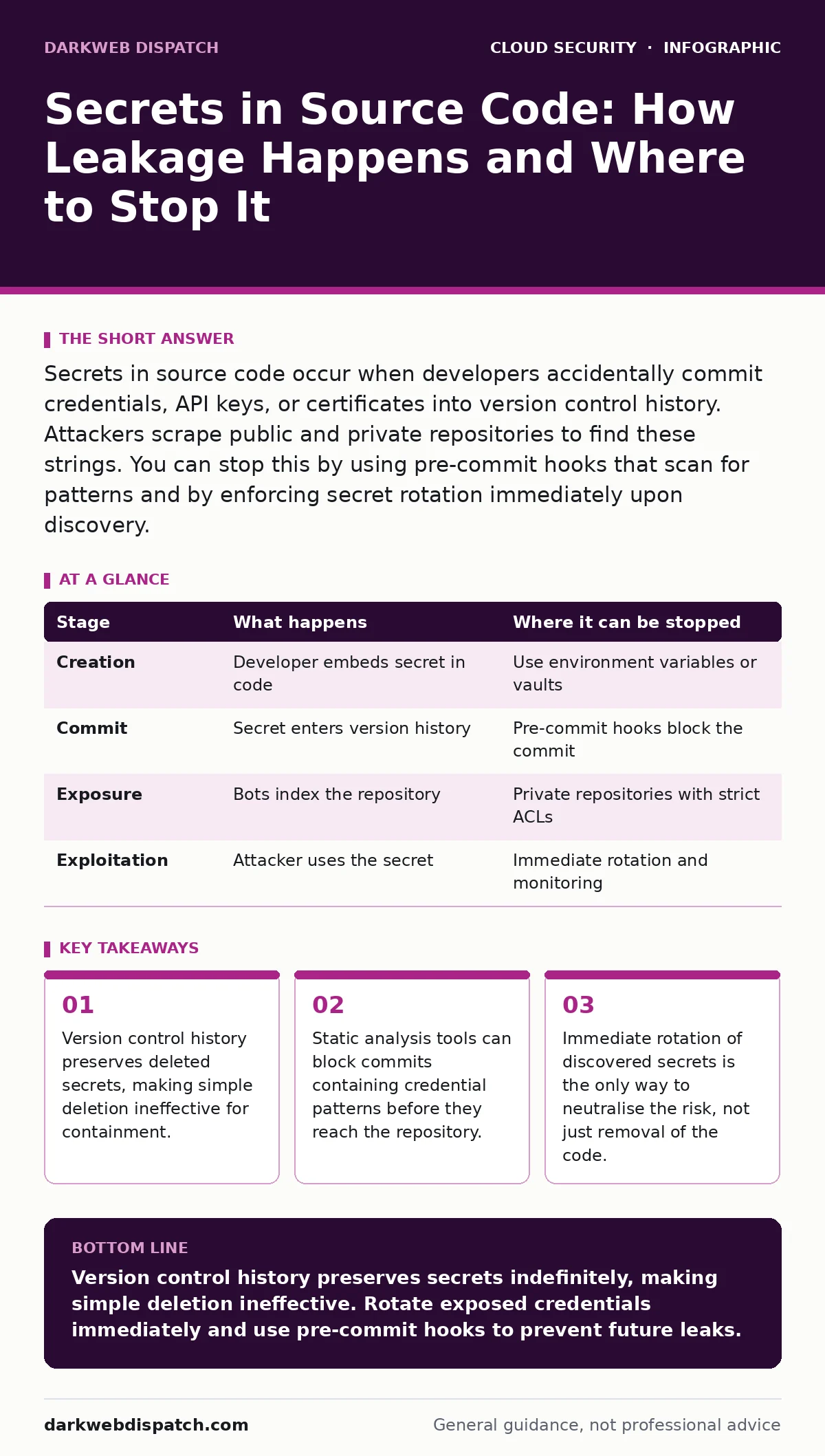
Secrets in source code occur when developers accidentally commit credentials, API keys, or certificates into version control history. Attackers scrape public and private repositories to find these strings. You can stop this by using pre-commit hooks that scan for patterns and by enforcing secret rotation immediately upon discovery.
The Lifecycle of an Accidental Commit
Secrets in source code rarely result from malicious intent. They stem from convenience. Developers often embed authentication tokens directly into configuration files or environment variables to test their applications locally. This workflow is efficient for rapid iteration but dangerous when pushed to shared storage.
Imagine a developer working on a microservice that connects to a database. To avoid configuring environment variables locally, they paste the database password directly into a Python script. The code works. The feature is deployed. The password remains in the file, waiting to be indexed.
This practice creates a persistent risk. Unlike memory, which clears when a process ends, source code is designed to be preserved. Every change, every edit, and every deletion is recorded. This permanence is the core vulnerability.
### Stage 1: Creation and Embedding
The lifecycle begins when a secret is generated. This could be an API key for a payment processor, a private SSH key, or a database connection string. The developer needs this secret to authenticate their application against a third-party service.
Instead of storing the secret in a dedicated vault or environment variable, the developer places it directly in the source file. This might be a JSON configuration file, a shell script, or a hardcoded string in a class definition. The secret is now indistinguishable from regular code to the version control system.
The flaw here is context blindness. The version control system does not understand that a string of characters is a credential. It sees only text. Without explicit instruction, it treats the secret as just another line of code to be tracked.
### Stage 2: Commit and History Preservation
When the developer commits the changes, the secret enters the repository’s history. This is the point of no return for standard deletion methods. Even if the developer realises the mistake and removes the secret in the next commit, the previous commit still contains it.
Version control systems like Git store snapshots of the project at each commit. These snapshots are immutable. To save space, Git uses a content-addressable storage system, meaning identical files are stored once. However, the reference to the file containing the secret remains in the commit graph.
An attacker does not need access to the current version of the code. They only need access to the history. By traversing the commit graph, they can find the snapshot where the secret was present. This makes "deleting" the secret from the current file a false sense of security.
### Stage 3: Exposure and Indexing
Once the repository exists, it becomes visible to scanners. Public repositories are indexed by search engines within minutes. Private repositories are often exposed through misconfigured access controls or insider threats.
Automated bots crawl GitHub, GitLab, and Bitbucket for patterns that resemble secrets. These patterns include long alphanumeric strings, base64-encoded blocks, and specific prefixes like "AWS_ACCESS_KEY_ID". The bots do not need human intervention. They operate continuously, scanning new and old repositories.
If the repository is private, the bot may still access it if the access controls are weak. This relates closely to leaked cloud access keys, where the initial compromise is often a simple credential leak rather than a complex exploit. The exposure is passive; the attacker does not hack the server. They simply read what was left behind.
### Stage 4: Exploitation and Access
The final stage is exploitation. The attacker takes the discovered secret and uses it to authenticate as the legitimate service. This bypasses normal login screens and often bypasses multi-factor authentication if the secret is an API key with elevated privileges.
Imagine the attacker finds a cloud storage key in an old commit. They use this key to download sensitive data or inject malicious files. The cloud provider sees this as a legitimate request because the key is valid. The attacker now has the same access as the developer who created it.
This stage highlights the danger of long-lived secrets. If the secret has not been rotated, it remains valid for years. The attacker may find a secret from a project that was abandoned five years ago, yet it still grants access to active infrastructure.
See also: SaaS Access Reviews: 6 Mistakes That Leave Accounts Exposed · What is Cloud Governance: Control Access Without Choking Innovation
Interrupting the Lifecycle
You can interrupt this lifecycle at multiple points. The most effective intervention is prevention. Pre-commit hooks are scripts that run before a commit is finalised. These hooks scan the staged files for known secret patterns.
If a pattern is detected, the hook blocks the commit. The developer is forced to remove the secret or use a secure alternative. This stops the secret from ever entering the history. This is a core component of DevSecOps, integrating security checks directly into the development workflow.
Detection is the second line of defence. Regular scanning of repositories, including history, can identify secrets that slipped through. Tools can parse the entire commit history to find exposed credentials. This requires computational resources but provides a safety net.
The Hidden Cost of History
A non-obvious consequence of version control is the difficulty of sanitising history. Standard deletion does not work. You must rewrite history, which changes the commit hashes. This breaks collaboration and requires all developers to re-clone their repositories.
This process is risky and error-prone. It is often easier to rotate the secret than to clean the history. Rotation invalidates the old secret, rendering the exposed code harmless. However, rotation must be immediate. Any delay leaves a window of opportunity for attackers.
Another hidden cost is the false security of .gitignore files. These files tell Git to ignore certain paths, such as local configuration files. However, if a secret is committed before the .gitignore rule is added, it is already in the history. The .gitignore file only prevents future commits, not past ones.
| Stage | What happens | Where it can be stopped |
|---|---|---|
| Creation | Developer embeds secret in code | Use environment variables or vaults |
| Commit | Secret enters version history | Pre-commit hooks block the commit |
| Exposure | Bots index the repository | Private repositories with strict ACLs |
| Exploitation | Attacker uses the secret | Immediate rotation and monitoring |
Beyond Simple Secrets
Not all secrets are obvious. Some are derived from other values, such as encryption keys generated from a passphrase. Others are embedded in binary files or images. Static analysis tools may miss these if they only look for text patterns.
This is where microsegmentation becomes relevant. Even if a secret is leaked, limiting the scope of access can reduce the impact. If the API key only allows read access to a non-critical bucket, the damage is contained.
Furthermore, SaaS account takeover risks increase when secrets are used to access administrative interfaces. A leaked token for a cloud management console can lead to full infrastructure compromise. Treating secrets as high-value assets is necessary.
Integrating Secure Practices
To mitigate these risks, you must change how you handle credentials. Stop embedding secrets in code. Use a secrets manager that provides dynamic credentials. These credentials are short-lived and rotated automatically.
Enforce pre-commit scanning. Make it a mandatory step in your development pipeline. If the scan fails, the build fails. This creates a cultural shift where security is part of the development process, not an afterthought.
Regularly audit your repositories. Look for secrets in history, not just current files. Use tools that specialise in this task. Combine this with MFA for cloud accounts to add an extra layer of protection, although note that API keys often bypass MFA.
Key takeaways
- Version control history preserves deleted secrets, making simple deletion ineffective for containment.
- Static analysis tools can block commits containing credential patterns before they reach the repository.
- Immediate rotation of discovered secrets is the only way to neutralise the risk, not just removal of the code.
Version control history preserves secrets indefinitely, making simple deletion ineffective. Rotate exposed credentials immediately and use pre-commit hooks to prevent future leaks.
Frequently asked questions
Does deleting a file from Git remove the secret from history?
No. Git retains snapshots of all commits. The secret remains in the history until the history is rewritten, which is complex and risky.
Can .gitignore prevent secrets from being committed?
Only if added before the first commit. If the file was already committed, .gitignore has no effect on the existing history.
What is the best way to store secrets in code?
Do not store secrets in code. Use environment variables or a dedicated secrets manager that injects credentials at runtime.
How do attackers find secrets in private repositories?
They exploit misconfigured access controls, insider threats, or leaked credentials that grant them access to the repository itself.
How this guide was produced: written by the DarkWeb Dispatch editorial team with AI assistance, checked against the public references listed below, and reviewed when the facts change. See our editorial policy or report an error.