WordPress Plugin Update Policy Mistakes and How to Fix Them
Automating updates without verifying digital signatures exposes your server to supply-chain attacks that mimic legitimate software releases.

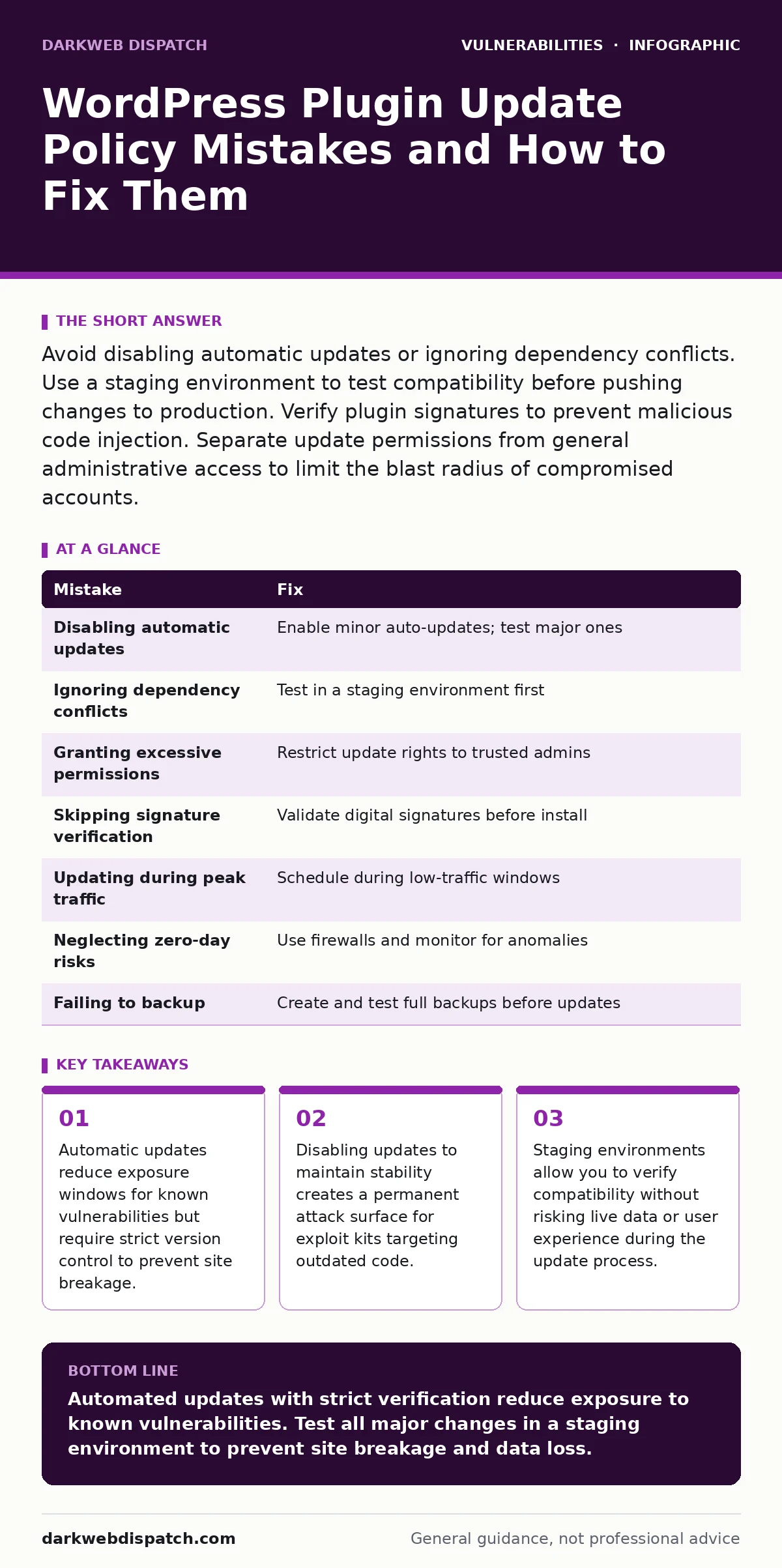
Avoid disabling automatic updates or ignoring dependency conflicts. Use a staging environment to test compatibility before pushing changes to production. Verify plugin signatures to prevent malicious code injection. Separate update permissions from general administrative access to limit the blast radius of compromised accounts.
Mistake 1: Disabling automatic updates entirely
You disable automatic updates to prevent unexpected breakage or downtime. This stops minor security patches from installing automatically. The plugin remains at a version with known flaws. Attackers scan for these specific versions and exploit them before you manually apply the fix. The window of exposure grows with every day the patch is delayed.
Why it hurts: You create a persistent target. Vulnerability scanners identify outdated software instantly. Without automatic patching, your site relies on your memory to update. Human error often delays this process until after an attack has occurred. The risk of compromise increases linearly with the time elapsed since the patch release.
The fix: Enable automatic minor updates for all plugins. Minor updates typically contain security fixes and do not alter core functionality. Major updates should be tested first. Configure your server to allow automatic updates for security-critical components. This reduces the window of vulnerability without introducing breaking changes to your live site.
Mistake 2: Ignoring dependency conflicts during updates
You update a plugin without checking its dependencies. The plugin requires a newer version of a library or another plugin. The update fails or causes a fatal error. Your site may go offline or lose functionality. You rush to revert the change, but the damage is already done. The site remains vulnerable during the downtime.
Why it hurts: Dependency hell leads to unstable environments. Incompatible versions can expose new vulnerabilities. The plugin may fall back to an older, insecure method to maintain compatibility. This hidden fallback often bypasses security controls. The site appears functional but operates with reduced security protections.
The fix: Use a staging environment that mirrors your production setup. Test updates on this copy first. Verify that all dependencies resolve correctly. Check for error logs after the update. Only push the update to production after confirming stability. This process catches compatibility issues before they affect users or expose your data.
Mistake 3: Granting update permissions to all users
You give every administrator the ability to update plugins. A compromised account can push a malicious plugin update. The attacker gains full control of the site. The legitimate admin sees the update as normal. The malicious code executes with full privileges. The breach goes undetected because the action appeared authorised.
Why it hurts: Excessive permissions increase the attack surface. If one account is compromised, the attacker can alter the software stack. This bypasses many detection systems that look for unauthorized logins. The attacker operates within the expected behaviour of an administrator. This makes forensic analysis difficult and recovery slower.
The fix: Restrict plugin update permissions to a small group of trusted users. Use role-based access control to limit who can modify software. Monitor audit logs for update activity. Alert on updates performed by unusual accounts or at unusual times. This limits the impact of a compromised credential to specific actions.
Mistake 4: Skipping signature verification
You install updates without verifying digital signatures. You assume the source is legitimate. The update package has been tampered with in transit. The malicious code installs silently. The plugin appears authentic because it uses the correct file names. The backdoor activates immediately upon installation.
Why it hurts: Supply-chain attacks target the update mechanism itself. Without signature verification, you cannot prove the code is from the original developer. Man-in-the-middle attacks can intercept and modify update packages. This undermines trust in the entire software ecosystem. The compromise is deep and difficult to detect.
The fix: Verify digital signatures for all plugin updates. Most reputable plugins provide signature files. Check these against the downloaded package before installation. Use tools that automatically validate signatures. This ensures the code has not been altered since it was signed by the developer. It adds a critical layer of integrity checking.
Mistake 5: Updating during peak traffic hours
You schedule updates during high-traffic periods. The update process locks certain database tables or files. Performance degrades significantly. Users experience timeouts or errors. The server may crash under the combined load of updates and traffic. You lose revenue and reputation during the most critical times.
Why it hurts: Resource contention slows down the update process. The server struggles to handle both tasks. This increases the risk of a failed update. A failed update may leave the site in a broken state. Recovery takes longer during peak hours because support teams are busy. The impact on user trust is severe.
The fix: Schedule updates during low-traffic windows. Identify the quietest hours for your audience. Plan the update window to allow for rollback if needed. Notify users of potential maintenance if the update is major. This minimises disruption and ensures a smoother update process. It also allows you to monitor performance closely.
See also: Fuzz Testing Misconceptions: What Automated Inputs Actually Reveal · Mitigations and Workarounds: How to Secure Systems When Patches Fail
Mistake 6: Neglecting to check for zero-day vulnerabilities
You assume that only published vulnerabilities are relevant. You ignore reports of potential zero-day exploits. Attackers use unpatched flaws to gain access. Your site is compromised before a patch exists. You have no defence because you did not anticipate the threat. The attack is sophisticated and evades standard detection.
Why it hurts: Zero-day vulnerabilities are unknown and unpatched. They are highly lucrative for attackers. Waiting for a patch leaves you exposed. The window of exposure can be weeks or months. During this time, automated bots scan for these specific flaws. Your site becomes a target for advanced persistent threats.
The fix: Implement mitigations and workarounds for suspected zero-days. Use web application firewalls to block suspicious traffic. Monitor for unusual activity patterns. Isolate affected components if a breach is suspected. Stay informed about emerging threats in the WordPress ecosystem. This proactive approach reduces the impact of unknown vulnerabilities.
Mistake 7: Failing to backup before updating
You update plugins without a recent backup. The update fails and breaks the site. You cannot revert to the previous version. You must rebuild the site from scratch. Data loss occurs. Downtime extends for hours or days. The cost of recovery exceeds the cost of a backup.
Why it hurts: Updates can fail due to server issues or code conflicts. Without a backup, you have no safety net. Manual recovery is time-consuming and error-prone. You may lose recent data that was not synced elsewhere. The business impact is severe. Trust in your service erodes.
The fix: Create a full backup before any major update. Include files and databases. Test the backup by restoring it to a separate environment. Ensure the backup is complete and accessible. Automate backups to ensure they are current. This simple step saves time and data during recovery. It is the last line of defence against update failures.
| Mistake | Fix |
|---|---|
| Disabling automatic updates | Enable minor auto-updates; test major ones |
| Ignoring dependency conflicts | Test in a staging environment first |
| Granting excessive permissions | Restrict update rights to trusted admins |
| Skipping signature verification | Validate digital signatures before install |
| Updating during peak traffic | Schedule during low-traffic windows |
| Neglecting zero-day risks | Use firewalls and monitor for anomalies |
| Failing to backup | Create and test full backups before updates |
Key takeaways
- Automatic updates reduce exposure windows for known vulnerabilities but require strict version control to prevent site breakage.
- Disabling updates to maintain stability creates a permanent attack surface for exploit kits targeting outdated code.
- Staging environments allow you to verify compatibility without risking live data or user experience during the update process.
Automated updates with strict verification reduce exposure to known vulnerabilities. Test all major changes in a staging environment to prevent site breakage and data loss.
Frequently asked questions
Can I automate plugin updates safely?
Yes, but only for minor security updates. Major updates require manual testing in a staging environment to ensure compatibility and prevent site breakage.
How do I verify plugin signatures?
Check the plugin developer’s website for signature files. Use command-line tools or plugins that validate these signatures against the downloaded package before installation.
What is a staging environment?
A staging environment is a duplicate of your live site. It allows you to test updates and changes without affecting real users or data.
Should I update plugins during high traffic?
No. Update during low-traffic periods to minimise performance impact and allow for easier monitoring and rollback if issues arise.
How this guide was produced: written by the DarkWeb Dispatch editorial team with AI assistance, checked against the public references listed below, and reviewed when the facts change. See our editorial policy or report an error.