Cloud Least Privilege Misconceptions: Six Errors to Avoid
Applying least privilege correctly requires mapping data flows, not just restricting user roles, because automated services often hold more power than human operators.

Least privilege in the cloud is not merely about limiting user permissions. It requires strict isolation of service accounts, regular rotation of credentials, and continuous monitoring of automated workflows. Misapplying it creates hidden attack surfaces that compromise your entire infrastructure.
Misreading: Least privilege applies only to human users
Many organisations focus heavily on restricting what developers and administrators can do, while ignoring the accounts used by applications and scripts. This is a critical blind spot. Service accounts, which run automated tasks, often require broad permissions to function across multiple services. If a human account is compromised, the damage is usually limited to that person’s scope.
If a service account is compromised, the attacker gains automated access to every resource that account can touch. You must treat machine identities with the same scrutiny as human ones. Define strict boundaries for what each application can read, write, or execute. Do not grant a database connector permission to manage network firewalls simply because it is convenient.
Correct reading: Apply least privilege to every identity, whether it belongs to a person or a piece of software. Machine identities often have a larger blast radius than human accounts because they operate continuously and interact with multiple systems.
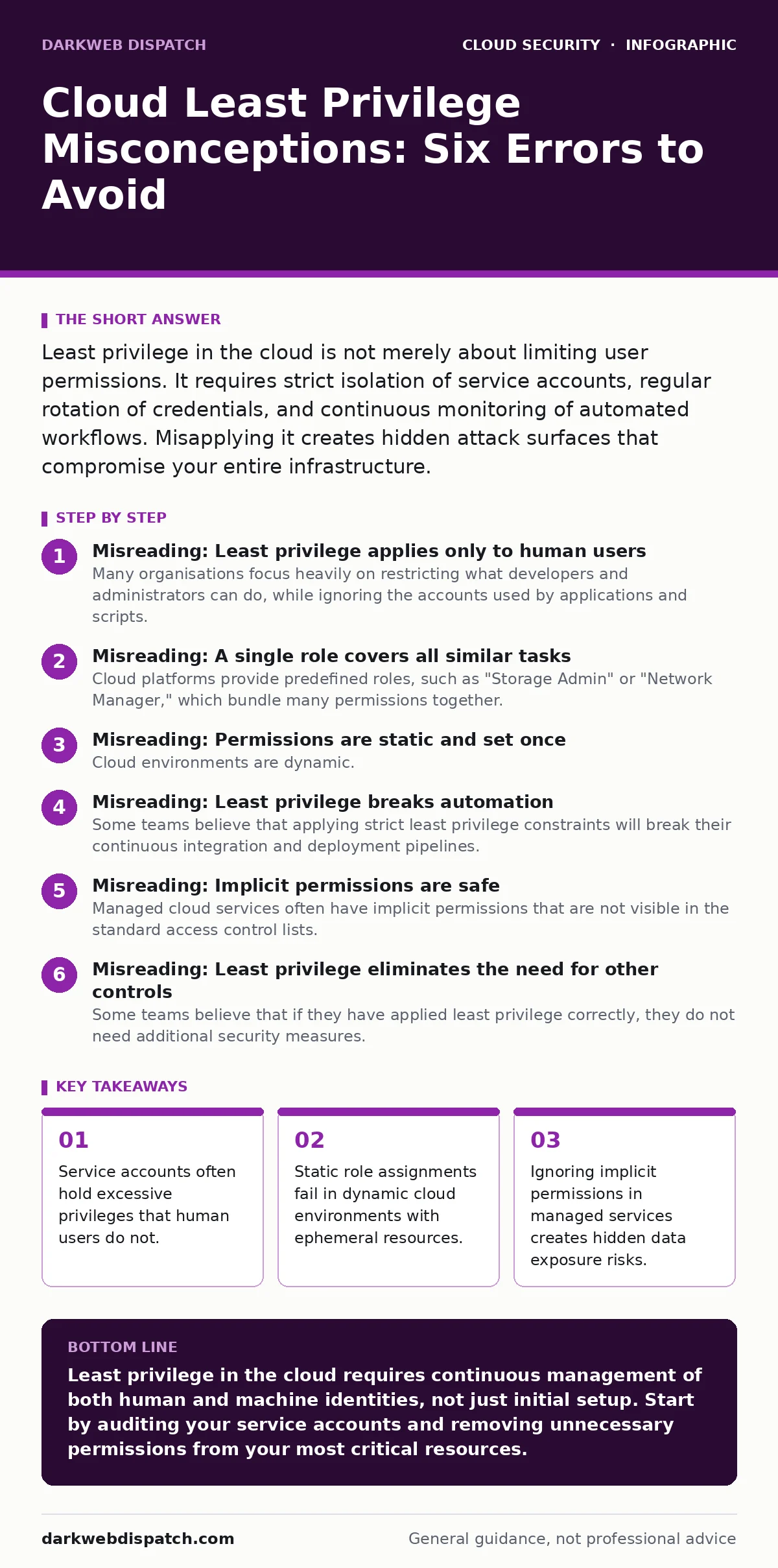
Misreading: A single role covers all similar tasks
Cloud platforms provide predefined roles, such as "Storage Admin" or "Network Manager," which bundle many permissions together. Assigning these broad roles to users who only need one or two specific capabilities is a common error. This violates the principle of least privilege because the user now has access to functions they never intend to use. Imagine a developer who needs to upload logs to a storage bucket but receives a role that also allows them to delete the entire storage account. If that developer’s credentials are stolen, the attacker can destroy data, not just read it. You should create custom roles that grant only the specific actions required for the job.
Correct reading: Avoid predefined broad roles whenever possible. Create granular, custom roles that map exactly to the specific actions a user or service needs to perform. This limits the damage if credentials are compromised, reducing the scope of potential breaches.
Misreading: Permissions are static and set once
Cloud environments are dynamic. Resources are created and destroyed automatically, and team members change roles frequently. Many teams assign permissions at the start of a project and never review them again. This leads to permission creep, where users accumulate access rights they no longer need. Over time, this accumulation creates a hidden attack surface. An employee who moves from development to marketing may retain their old administrative access to cloud infrastructure. This unused access remains active and exploitable. You must implement a process for regular review and removal of unnecessary permissions.
Correct reading: Treat permissions as temporary and dynamic. Establish a schedule for reviewing access rights, especially when employees change roles or projects end. Remove access immediately when it is no longer required to prevent accidental or malicious misuse of stale privileges.
Misreading: Least privilege breaks automation
Some teams believe that applying strict least privilege constraints will break their continuous integration and deployment pipelines. They argue that automated tools need broad access to provision resources quickly. This fear leads to the creation of "super-user" service accounts that can do everything, defeating the purpose of least privilege. In reality, well-designed automation should request only the specific permissions it needs for each step. For example, a deployment script should only have permission to update a specific application, not to modify the underlying database schema. Breaking this down requires more initial configuration but prevents catastrophic failures.
Correct reading: Design automation to request minimal permissions for each specific task. Use temporary credentials that expire after the task is completed. This approach secures your pipeline without sacrificing functionality, ensuring that a compromised build server cannot pivot to other parts of your infrastructure.
Misreading: Implicit permissions are safe
Managed cloud services often have implicit permissions that are not visible in the standard access control lists. For example, a managed database service may need access to your storage accounts to perform backups, and this access is granted by default. If you do not understand these implicit connections, you may assume your data is isolated when it is not. An attacker who compromises the managed service could potentially access the linked storage resources. You must map out these implicit trust relationships and ensure they are necessary. Document which services can access which resources and why.
Correct reading: Identify and document all implicit permissions granted by managed services. Treat these connections as explicit trust relationships that require justification. If a managed service does not need access to a particular resource, disable that connection or isolate the resources further to prevent lateral movement.
See also: Policy as Code: Definition, Purpose and Practical Cloud Security · Bot Management FAQs: Distinguishing Humans from Automated Traffic
Misreading: Least privilege eliminates the need for other controls
Some teams believe that if they have applied least privilege correctly, they do not need additional security measures. This is a dangerous misconception. Least privilege limits what an attacker can do once they have access, but it does not prevent them from gaining access in the first place. You still need strong authentication, network segmentation, and monitoring. For instance, an attacker might use cloud metadata service attacks to steal credentials from a compromised server. Even if those credentials have limited privileges, the attacker can still cause significant damage within that scope. Layering security controls provides defence in depth.
Correct reading: Least privilege is one layer of security, not a complete solution. Combine it with strong identity management, such as single sign-on, and secure your secrets using methods that prevent secrets in source code. Monitor for unusual activity to detect breaches early, regardless of the permission level of the compromised account.
Key takeaways
- Service accounts often hold excessive privileges that human users do not.
- Static role assignments fail in dynamic cloud environments with ephemeral resources.
- Ignoring implicit permissions in managed services creates hidden data exposure risks.
- Over-restricting access can break automation, leading to insecure workarounds.
Least privilege in the cloud requires continuous management of both human and machine identities, not just initial setup. Start by auditing your service accounts and removing unnecessary permissions from your most critical resources.
Frequently asked questions
How often should I review cloud permissions?
Review permissions at least quarterly, and immediately whenever an employee changes roles or a project ends. Automated tools can help identify unused permissions more frequently.
Can least privilege slow down development teams?
Initially, it may require more time to configure custom roles. However, it reduces the risk of accidental data loss or security breaches, which are far more costly and disruptive in the long run.
What is the biggest risk of misapplying least privilege?
The biggest risk is creating a false sense of security. If permissions are not granular enough or if service accounts are over-provisioned, an attacker can move laterally through your environment with ease.
How do I handle emergency access needs?
Use a just-in-time access model where elevated privileges are granted temporarily for a specific task and automatically expire afterwards. This minimises the window of exposure.
How this guide was produced: written by the DarkWeb Dispatch editorial team with AI assistance, checked against the public references listed below, and reviewed when the facts change. See our editorial policy or report an error.