OAuth Token Abuse: How Attackers Hijack Access Step by Step
OAuth tokens grant access without passwords, meaning a stolen token bypasses multi-factor authentication entirely and gives attackers immediate entry to connected services.

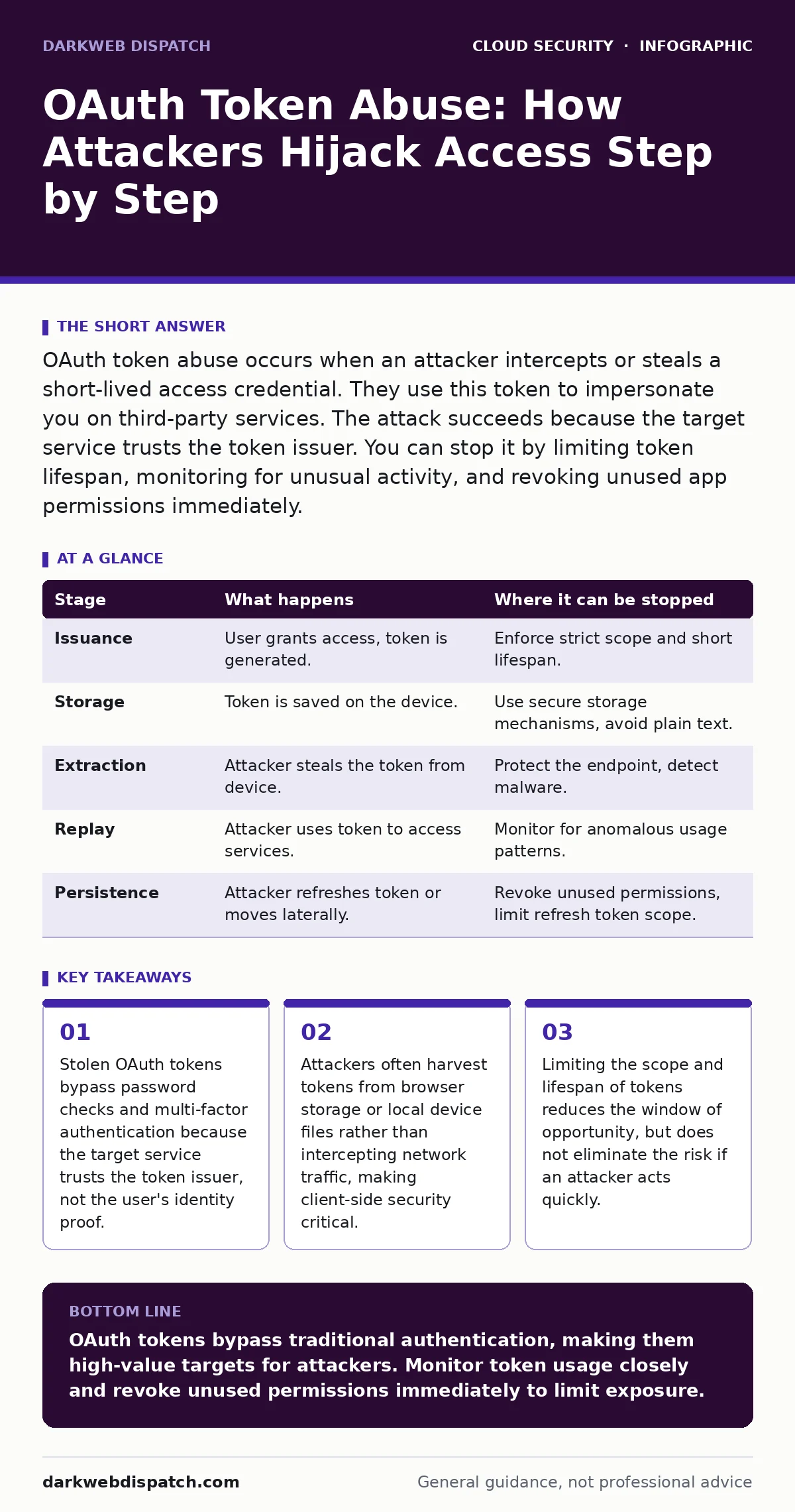
OAuth token abuse occurs when an attacker intercepts or steals a short-lived access credential. They use this token to impersonate you on third-party services. The attack succeeds because the target service trusts the token issuer. You can stop it by limiting token lifespan, monitoring for unusual activity, and revoking unused app permissions immediately.
The Trust Model Behind the Attack
OAuth is a protocol that allows applications to access user data without storing passwords. Instead of handing over credentials, the user grants a third-party application permission to act on their behalf. The application receives a token, which is essentially a digital key. This key proves to the target service that the user has authorised the action.
The security assumption here is that the token itself is secure. If the token remains secret, the system works as intended. The vulnerability arises when that secret is exposed. An attacker does not need to guess a password or bypass multi-factor authentication. They only need to obtain the token.
This dynamic shifts the attack surface from the user's identity to the application's storage. It means that SaaS account takeover often happens not by breaking into the login page, but by stealing the keys already in the user's possession. The attacker becomes the user, in the eyes of the system.
Stage 1: Token Issuance and Storage
The process begins when you authorise an application. You log in to a service, grant permissions, and receive an access token. This token is a string of characters that encodes your identity and the permissions you granted. The application stores this token to make future requests without asking you to log in again.
This storage is the first weak point. Browsers, mobile apps, and desktop clients save these tokens in local storage, cookies, or secure enclaves. If the application fails to protect this storage, the token is exposed. An attacker with access to your device, or malware running on it, can read these files.
The flaw relies on the assumption that the local environment is trusted. It is not. Many applications treat the client device as a secure vault, but it is often an open book. If you have secrets in source code that manage these tokens poorly, you are handing attackers the keys to your house.
Stage 2: Token Extraction
Once the token is stored, the attacker needs to extract it. This rarely involves complex hacking. It often involves simple theft. If your device is compromised by malware, that software can scan memory or read local files for known token patterns.
Imagine a scenario where you install a seemingly harmless productivity tool. This tool contains malicious code that scans your browser's local storage. It finds the OAuth tokens for your email, cloud storage, and project management tools. It copies them and sends them to a remote server.
You do not notice this. There is no password prompt. There is no failed login attempt. The extraction is silent. The attacker now holds a valid, active key. This is why MFA for cloud accounts provides a false sense of security here. The MFA check happened in the past, during the initial authorisation. The token bypasses it now.
Stage 3: Token Replay and Impersonation
With the token in hand, the attacker begins the replay phase. They do not need to crack the token. They simply present it to the target service as if they were the authorised application. The service checks the token's signature and validity. If it is valid, the service grants access.
The attacker can now perform any action the token allows. If the token has read access to your emails, they can read them. If it has write access to your cloud storage, they can download your files. The service sees the request as coming from the trusted application, not a suspicious IP address.
This stage relies on the target service trusting the token issuer blindly. The service does not re-verify the user's identity. It assumes the token was issued correctly. This is the core of OAuth abuse. The attacker impersonates the application, and by extension, you.
Stage 4: Lateral Movement and Persistence
Once inside, the attacker looks for more. They may use the initial access to find other connected services. Many users link multiple applications. A token for a project management tool might reveal connections to a code repository or a cloud infrastructure provider.
The attacker may also attempt to create new tokens. Some OAuth implementations allow an application to refresh tokens or generate new ones without user interaction. If the attacker steals the refresh token, they can maintain access indefinitely. This is a persistent backdoor.
This lateral movement is dangerous because it expands the breach. The attacker moves from a single application to your entire digital ecosystem. They may use this access to exfiltrate data or plant further malware. The lack of visibility into token usage makes this hard to detect.
See also: SaaS Access Reviews: 6 Mistakes That Leave Accounts Exposed · What is Cloud Governance: Control Access Without Choking Innovation
Interrupting the Attack Chain
You can interrupt this process at several points. The most effective defence is limiting the value of the token. This means using short-lived tokens that expire quickly. If a token is stolen, it becomes useless after a short period.
You must also monitor for unusual activity. Look for requests from unexpected IP addresses or user agents. If your application sees a token being used from a different country, it should flag it. This is where DevSecOps practices help. Integrating security checks into the development cycle ensures that tokens are handled securely from the start.
Another critical step is regular permission audits. Revoke access for applications you no longer use. If an application is compromised, revoking its token stops the attacker. This is a manual but effective countermeasure. It reduces the attack surface by removing unused keys.
| Stage | What happens | Where it can be stopped |
|---|---|---|
| Issuance | User grants access, token is generated. | Enforce strict scope and short lifespan. |
| Storage | Token is saved on the device. | Use secure storage mechanisms, avoid plain text. |
| Extraction | Attacker steals the token from device. | Protect the endpoint, detect malware. |
| Replay | Attacker uses token to access services. | Monitor for anomalous usage patterns. |
| Persistence | Attacker refreshes token or moves laterally. | Revoke unused permissions, limit refresh token scope. |
The Hidden Cost of Convenience
The convenience of OAuth comes at a hidden cost. It decentralises trust. You are trusting the application to protect the token, the issuer to validate it, and the target service to respect its scope. Any failure in this chain compromises your data.
This is why least privilege in the cloud is not just a best practice, but a necessity. Granting broad permissions increases the damage a stolen token can do. If a token has full administrative access, the attacker has full control. Limiting permissions limits the blast radius.
You must also consider single sign-on implications. If one token is compromised, it may grant access to multiple services. This amplifies the risk. You need visibility into where your tokens are used and who holds them.
Detecting and Responding to Abuse
Detecting OAuth token abuse is difficult because the requests look legitimate. The token is valid. The signature is correct. The difference is in the context. Where is the request coming from? What actions are being taken?
Implement anomaly detection. Look for spikes in activity, unusual times, or new devices. If your application sees a token being used from a new IP address, it should require re-authentication. This adds friction, but it stops automated attacks.
When you suspect abuse, act quickly. Revoke the token. Change your passwords. Check other connected applications for signs of compromise. This is a race against time. The faster you respond, the less damage is done.
Strengthening Your Defences
Defending against OAuth token abuse requires a layered approach. You cannot rely on a single control. You need secure storage, short lifespans, strict scopes, and active monitoring.
Developers must treat tokens as sensitive data. They should not log them, send them in URLs, or store them in insecure locations. Security should be built into the application design, not added later. This is the core of DevSecOps.
Users must be aware of the risks. They should not grant unnecessary permissions. They should monitor their account activity. By understanding how OAuth works, you can better protect your digital identity.
Key takeaways
- Stolen OAuth tokens bypass password checks and multi-factor authentication because the target service trusts the token issuer, not the user's identity proof.
- Attackers often harvest tokens from browser storage or local device files rather than intercepting network traffic, making client-side security critical.
- Limiting the scope and lifespan of tokens reduces the window of opportunity, but does not eliminate the risk if an attacker acts quickly.
OAuth tokens bypass traditional authentication, making them high-value targets for attackers. Monitor token usage closely and revoke unused permissions immediately to limit exposure.
Frequently asked questions
Can changing my password stop an OAuth token abuse attack?
No, because OAuth tokens are independent of your password. The attacker uses the token, not the password, to access your account. You must revoke the token directly.
How long does an OAuth token last?
Lifespan varies by implementation, but many access tokens expire within an hour. Refresh tokens can last much longer, allowing the application to maintain access without user interaction.
Does two-factor authentication protect me from token theft?
Two-factor authentication protects the initial login, but not the token itself. Once the token is issued, it can be used without MFA. This is why MFA is not a complete defence against token abuse.
How can I tell if my token has been stolen?
Look for unusual activity in your account logs, such as logins from unknown locations or devices. Many services provide a list of active sessions and connected apps for you to review.
How this guide was produced: written by the DarkWeb Dispatch editorial team with AI assistance, checked against the public references listed below, and reviewed when the facts change. See our editorial policy or report an error.