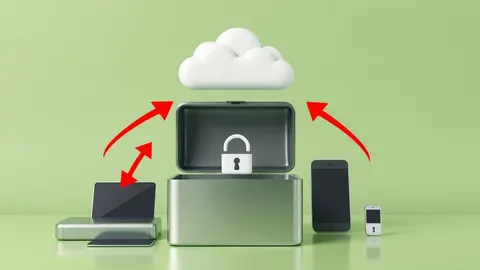
IAM vs PAM: The Difference in Cloud Identity Management
Identity management handles user access, while privilege management secures the temporary elevation of rights required for administrative tasks.

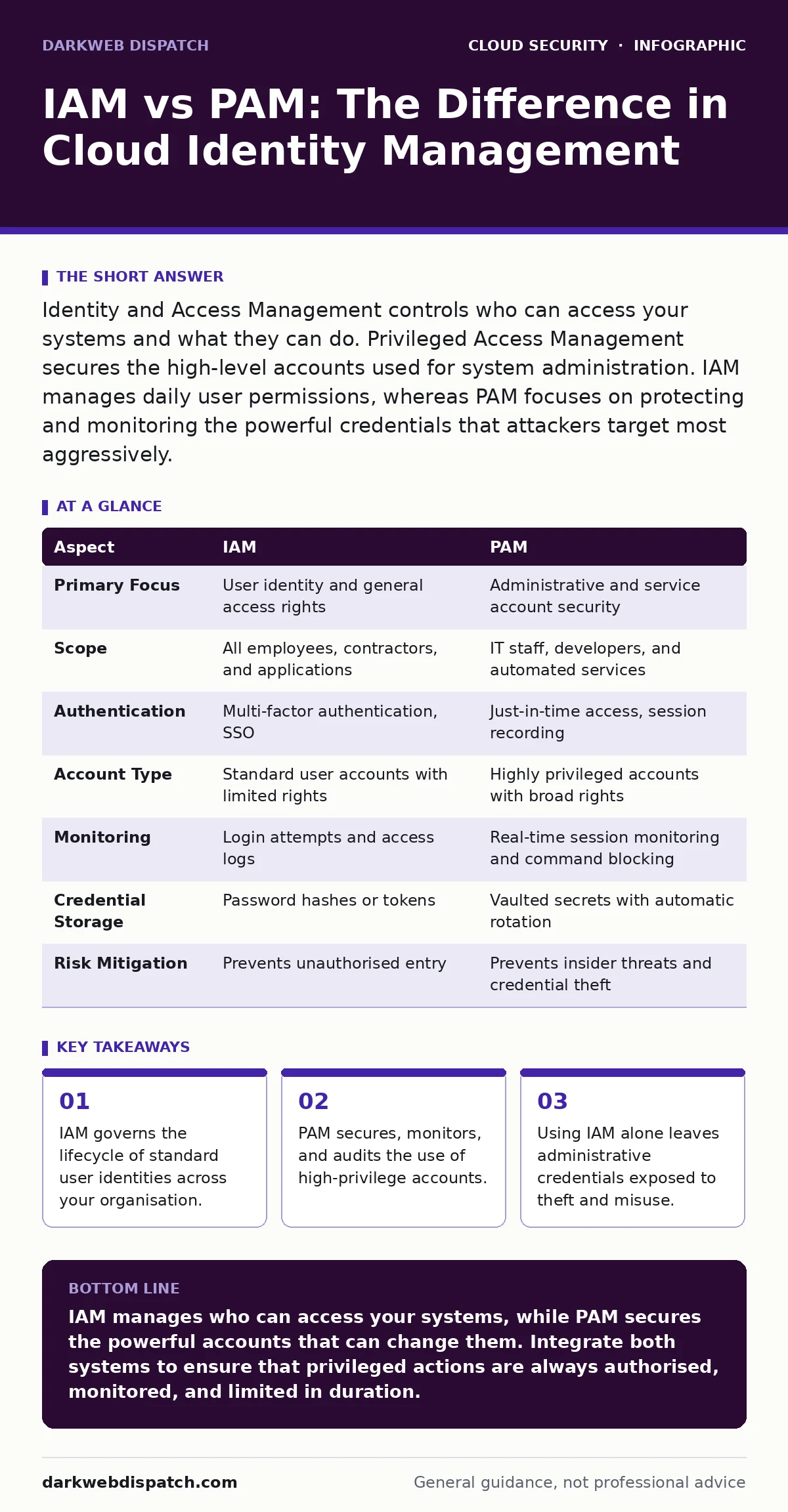
Identity and Access Management controls who can access your systems and what they can do. Privileged Access Management secures the high-level accounts used for system administration. IAM manages daily user permissions, whereas PAM focuses on protecting and monitoring the powerful credentials that attackers target most aggressively.
The Core Distinction
Identity and Access Management (IAM) and Privileged Access Management (PAM) are often confused because both deal with credentials. However, they serve different functions within your security architecture. IAM is the gatekeeper that decides who can enter your digital estate and what resources they may touch. It handles the entire lifecycle of an identity, from creation to deletion, ensuring that employees have the correct access for their roles.
PAM, by contrast, focuses specifically on the most dangerous keys in your kingdom: administrative accounts. These accounts have the power to change system configurations, install software, or view sensitive data across entire networks. While IAM ensures the right people get in, PAM ensures that once they are in, their powerful actions are controlled, recorded, and limited to the minimum necessary duration.
| Aspect | IAM | PAM |
|---|---|---|
| Primary Focus | User identity and general access rights | Administrative and service account security |
| Scope | All employees, contractors, and applications | IT staff, developers, and automated services |
| Authentication | Multi-factor authentication, SSO | Just-in-time access, session recording |
| Account Type | Standard user accounts with limited rights | Highly privileged accounts with broad rights |
| Monitoring | Login attempts and access logs | Real-time session monitoring and command blocking |
| Credential Storage | Password hashes or tokens | Vaulted secrets with automatic rotation |
| Risk Mitigation | Prevents unauthorised entry | Prevents insider threats and credential theft |
Understanding Identity and Access Management
IAM is the foundation of your security posture. It answers the question of who a user is and whether they are authorised to perform an action. When an employee logs into a cloud console or a SaaS application, IAM checks their credentials against a directory service. It applies policies that define what that user can see or modify.
Modern IAM systems use Single Sign-On (SSO) to reduce password fatigue. This allows users to authenticate once and gain access to multiple applications. However, IAM policies often grant static permissions. A developer might have write access to a code repository for years, even if they move to a different team. This static nature creates a risk known as privilege creep, where users accumulate more access than they need over time.
Understanding Privileged Access Management
PAM addresses the specific risks associated with high-level accounts. Standard users do not need to reboot servers or modify firewall rules. Only a small group of administrators or automated scripts requires these capabilities. PAM systems store these privileged credentials in a secure vault, rather than letting individuals know the passwords.
When an administrator needs to perform a task, they request access through the PAM system. The system grants temporary access, often for a single session. During this session, the PAM tool records every keystroke and command. If the administrator attempts to run a dangerous command, the PAM system can block it in real time. This provides a layer of protection that IAM alone cannot offer, as IAM typically does not monitor what happens after the user has logged in.
Where IAM and PAM Overlap
The boundary between IAM and PAM is not always clear. Both systems handle authentication and authorisation. Many modern platforms combine features from both domains, leading to confusion. For instance, an IAM system might include basic password vaulting, while a PAM system might manage user identities.
The overlap is most significant in the area of least privilege in the cloud. Both systems aim to restrict access to the minimum necessary. IAM does this by assigning roles, while PAM does this by limiting the duration and scope of privileged sessions. To achieve true security, these systems must work together. IAM should feed user identity data into PAM, ensuring that only authorised personnel can request privileged access.
Choosing the Right Tool
You do not choose between IAM and PAM; you need both. However, understanding when to prioritise one over the other helps in planning your security strategy.
Choose IAM when:
- You need to manage access for a large number of employees.
- You want to implement Single Sign-On across multiple cloud services.
- You require automated user provisioning and de-provisioning.
- You need to enforce multi-factor authentication for standard users.
Choose PAM when:
- You need to secure administrative accounts for servers and databases.
- You require session recording for compliance and auditing.
- You want to prevent the use of shared or static passwords for admin tasks.
- You need to monitor and control commands run by privileged users.
See also: Policy as Code: Definition, Purpose and Practical Cloud Security · Bot Management FAQs: Distinguishing Humans from Automated Traffic
The Hidden Cost of Separation
Treating IAM and PAM as separate silos creates blind spots. If IAM manages user identities but PAM manages admin credentials, there is a gap in visibility. An attacker who compromises a standard user account via a SaaS account takeover might use that foothold to escalate privileges. If your PAM system is not integrated with your IAM, it may not detect the anomaly in the user's behaviour.
Furthermore, managing credentials in two separate systems increases operational complexity. IT staff may forget to rotate passwords in one system, leaving a backdoor open. This is particularly risky when dealing with secrets in source code, where developers might accidentally commit credentials that should have been vaulted by PAM. Ensuring that your DevSecOps pipeline checks for these leaks is critical, but it requires visibility across both identity and privilege management.
Securing the Cloud Environment
In cloud environments, the distinction between IAM and PAM becomes even more vital. Cloud platforms provide their own IAM services, which manage access to cloud resources. However, these services often grant broad permissions to service accounts and automated tools. These are prime targets for cloud metadata service attacks, where attackers exploit misconfigured permissions to gain control.
PAM helps mitigate this risk by managing the credentials of these service accounts. It ensures that even automated processes use temporary, rotated credentials rather than static keys. Additionally, PAM can enforce microsegmentation by limiting which privileged accounts can access which network segments. This reduces the blast radius if a privileged credential is compromised. Remember that cloud backup strategies also rely on secure access; if an attacker gains privileged access, they may delete or encrypt backups, making recovery impossible.
Key takeaways
- IAM governs the lifecycle of standard user identities across your organisation.
- PAM secures, monitors, and audits the use of high-privilege accounts.
- Using IAM alone leaves administrative credentials exposed to theft and misuse.
- Integration between the two systems prevents privilege creep and ensures compliance.
IAM manages who can access your systems, while PAM secures the powerful accounts that can change them. Integrate both systems to ensure that privileged actions are always authorised, monitored, and limited in duration.
Frequently asked questions
Can IAM replace PAM?
No, IAM focuses on user identity and general access, while PAM provides specialised controls for high-risk administrative accounts, including session recording and just-in-time access.
Do I need PAM if I use cloud IAM?
Yes, cloud IAM manages resource permissions, but PAM secures the credentials and sessions of the administrators and services that manage those resources, adding a layer of monitoring and control.
What is the main risk of not using PAM?
Without PAM, privileged credentials are often shared, static, or unmonitored, making them easy targets for theft and allowing attackers to operate undetected within your network.
How do IAM and PAM work together?
IAM authenticates users and determines their baseline access, while PAM steps in when those users need elevated privileges, providing secure, temporary, and audited access to critical systems.
How this guide was produced: written by the DarkWeb Dispatch editorial team with AI assistance, checked against the public references listed below, and reviewed when the facts change. See our editorial policy or report an error.